
This document is the service manual for 4036-307/308 printer, which introduces the paper input path and the paper jam troubleshooting methods of the printer.
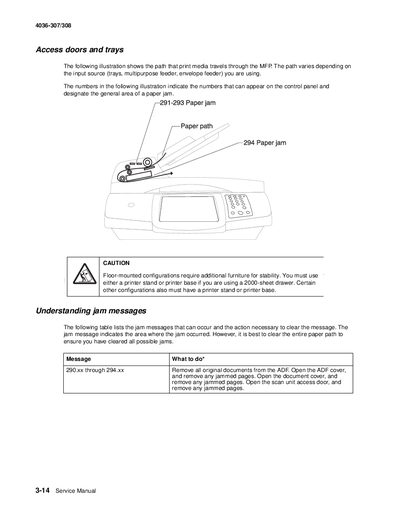
This manual provides detailed instructions for diagnosing and clearing paper jams in the MFP, including front, internal and rear scanner locations. It explains how to open the ADF, document cover, and scan unit access door to remove jammed pages.
The document also lists service error codes, sub‑error codes, and user attendance messages, with recommended actions such as replacing scanner boards, checking cable connections, and adding memory to support scanner functions.
Remove all original documents from the ADF, open the top ADF cover and remove any jammed pages, then close the cover.
Error 298 means the scanner cable is unplugged.
Release the lock under the scanner and touch Continue.
The mono printer needs at least 256 MB of total memory and the color printer needs at least 384 MB.