
Verizon RC144 5302 Remote Control User Manual

This document is the instruction manual of Verizon FiOS TV remote control.
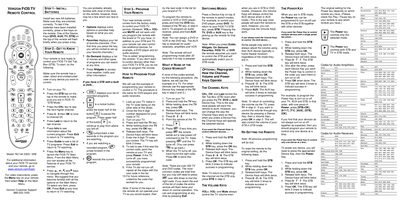

Verizon RC144 5302 Remote Control User Manual - cover page
Brand
Verizon
Category
Television
Document type
User Manual
Language
English
Pages
2
File format
PDF
File size
637 KB
Published
03 May, 2012
Updated
30 September, 2023
MD5 checksum
BDED1159D06FD1059AF2C25B9B1F2952

About this manual

This manual explains how to install batteries, operate the remote, and program it for your FiOS TV set‑top box, TV, DVD player, or audio receiver. It includes step‑by‑step instructions for basic use, such as turning the TV on, changing channels, and accessing on‑demand content.

The guide also covers advanced programming, including entering TV codes, resetting the remote, and customizing the behavior of channel, volume, and power keys. A comprehensive list of TV, audio, and DVD codes is provided for many manufacturers.

What's inside

  • STEP 1 - INSTALL BATTERIES
  • STEP 2 - GET TO KNOW YOUR REMOTE
  • STEP 3 - PROGRAM YOUR REMOTE
  • SWITCHING MODES
  • OPTIONAL: Reprogram How the Channel, Volume and Power Keys Operate
  • RE-SETTING THE REMOTE
  • WHAT IF NONE OF THE CODES WORKED?
  • Codes for Audio Amplifiers
  • Codes for Audio Receivers
  • Codes for Television

Specifications

ModelRC144 5302 / 00B
Battery typeAA

Frequently asked questions

How do I install the batteries in the remote?

Open the battery compartment and install two new AA batteries, making sure they are oriented correctly.

Download PDF (637 KB)

More Verizon Manuals


View all Verizon manuals →