
This document describes the features and characteristics of the Samsung SPH-M360 mobile phone, including network dependency, Bluetooth functionality, battery performance, etc. The phone supports internet content and services designed for mobile devices.
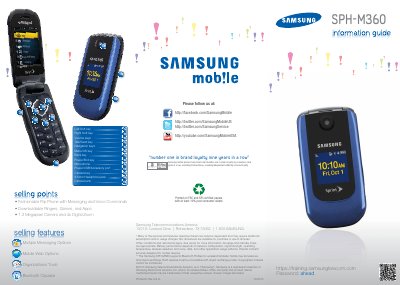
This guide covers the Samsung SPH-M360 flip phone, detailing its hardware layout, Bluetooth capabilities, and available software features such as messaging, web browsing, and organizational tools. It also includes safety and regulatory notices, as well as information about the included accessories.
The manual explains how to lock the device, download apps and ringtones, use voice commands, set calendar reminders, customize navigation keys, and change the language. Technical specifications such as dimensions, weight, display, battery, talk time, and standby time are listed for quick reference.
| Dimensions | 3.9" x 1.9" x 0.7" |
|---|---|
| Weight (without battery) | 2.9 oz |
| Main Display | 1.33" x 1.78", WQVGA, 240 x 320 pixels |
| Battery | 3.7 V Lithium‑Ion, 1000 mAh |
| Talk Time | 6.4 Hours |
| Standby Time | 254 Hours |
| Hearing Aid Compatibility | M3/T3 |
Press Menu > My Stuff, choose Games, Ringers, Screen Savers, Applications, or Call Tones, select Get New, and follow the prompts to connect to the web and download.
Open Menu > Settings > Tools > Voice Service, then speak a command. Voice Guide can be enabled via Menu > Settings > Accessibility > Voice Guide.
Select Menu > Settings > Tools > Calendar > Scheduler, add a new event, set the date, time, and alarm options, then save.