
This is a user manual for the XX product. The product features include XXX, XXXX, XXXX.
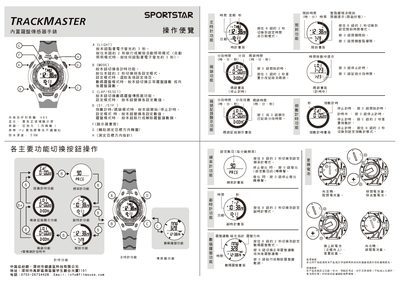
This manual describes the operation of the Sportstar TRACKMASTER watch, including how to set the time, use the built‑in compass sensor, and activate various timing functions. It details the button layout, mode switching, and how to replace the battery.
The watch features a black glass display, a PU black strap with a steel buckle, and a waterproof rating of 5 meters. Warranty information and distributor contact details for Shenzhen Health Think Technology Co., Ltd. are also provided. This manual is written in Chinese.
| Display type | Black glass screen |
|---|---|
| Strap material | PU black strap with steel buckle |
Press the D button to start timing and press the 9 button to stop timing.
Press the designated button (shown as 本妞) to toggle the digital sensor function, which activates the compass mode.
The strap is made of PU black material with a steel buckle.