
This user guide for the Sony Ericsson W950i mobile phone introduces the basic operations and functions of the phone, including phone, information, network, music, contacts, games, calendar, notes, etc.
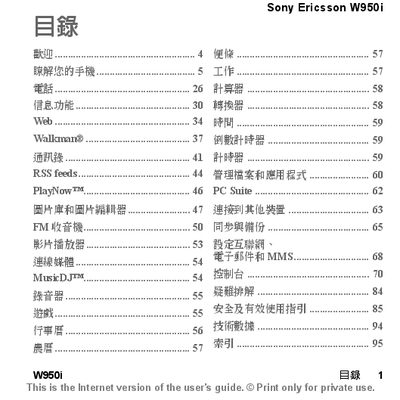
This is the user guide for the Sony Ericsson W950i 3G Walkman mobile phone. It serves as an internet version of the official documentation, intended for private use only. The guide includes a comprehensive table of contents listing various functions such as Phone, Information, Web, Walkman, Contacts, Picture Library, FM Radio, Video Player, and Media Connect. This manual is written in Chinese.
The packaging includes the phone, charger, portable hands-free device, carrying case, battery, USB cable, two CDs, and documentation.
You must insert the SIM card, install the battery, and charge the battery before using the phone.
Press the power button at the top of the phone to turn it on.
Flight mode turns off the phone's wireless functions.