
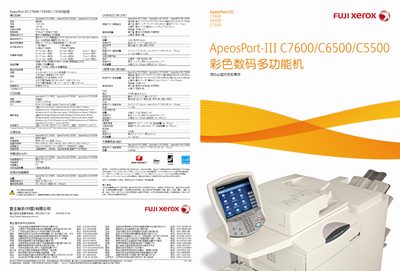
The ApeosPort-III C7600/C6500/C5500 is a high‑speed multifunction printer offering up to 75 ppm black‑white and 60 ppm color printing, 2400 × 2400 dpi resolution, and advanced scanning, copying, and fax capabilities. It supports large paper capacities, optional high‑capacity trays, and a range of finishing options such as saddle‑stitch and C‑type binding.
This manual covers hardware specifications, installation steps, network configuration (including IPv6, IPSec, and 802.1x), security features, cost‑control tools, and sustainability information. It also provides guidance on using the integrated document management software and optional accessories. This manual is written in Chinese.
| Black‑white print speed | 75 ppm |
|---|---|
| Color print speed | 60 ppm |
| Print resolution | 2400 × 2400 dpi |
| Scan resolution | 600 × 600 dpi |
| Memory | 1024 MB |
| Hard drive capacity | 160 GB |
| Paper capacity (standard + optional trays) | 5,260 sheets |
| Sleep mode power consumption | 7 W |
| Normal operation power consumption | 148 W |
The device can print up to 75 pages per minute in black‑white.
It supports scanning at up to 600 × 600 dpi.