
The MOTOROLA QUENCH manual introduces the functions and features of the phone, including social functions, touch screen, four easy-to-operate buttons, a full keyboard that can be used in landscape mode, and LED lights.
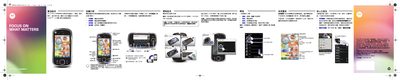
This guide introduces the Motorola Quench smartphone, showing how to set up a Gmail account, insert the micro‑SD card, and personalize the home screen with shortcuts and widgets. It explains basic navigation, such as tapping, holding, and swiping to move or delete items, and details how to access applications, contacts, and messaging functions.
Additional sections cover connectivity options like Wi‑Fi, Bluetooth, and the OMTP‑standard 3.5 mm headphone jack, as well as tips for conserving battery power, using the built‑in camera, and accessing Google Maps and other online services. The manual also points to Motorola’s support website for accessories and media downloads. This manual is written in Chinese.
| USB port | Micro USB |
|---|---|
| Headphone jack | 3.5mm OMTP |
Open the setup screen, select “Create or log in to Gmail account,” then enter your name and password.
Press and hold the power/lock key until the Wi‑Fi option appears, then tap to turn it on or off.
Press and hold an empty area on the home screen, then select the desired shortcut from the menu.