
A USB-C connector is also available on the front panel
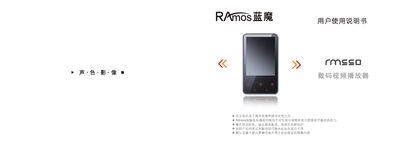
This manual provides instructions for using the Ramos RM550 digital video player, including safety precautions, basic operation, and menu navigation. It also covers firmware upgrades, charging methods, and troubleshooting tips.
The document includes detailed technical specifications such as display size, battery capacity, playback times, supported media formats, and environmental limits, helping users understand the device’s capabilities and proper handling. This manual is written in Chinese.
| Display | 2.4" TFT, 320×240 resolution |
|---|---|
| Memory | Flash 5 S12 Mb – 2 GB |
| Battery | 3.7 V, 520 mAh |
| Video Playback Time | ≈5 hours |
| Audio Playback Time | ≈12 hours |
| Sampling Rate | 8 kHz / 16 kHz |
| Microphone Format | WAV 32 kbps / 64 kbps |
| MP3 Bitrate | 54 kbps – 320 kbps |
| Maximum Audio Output | 10 mW per channel |
| Operating Temperature | -5 °C to 40 °C |
Connect the supplied power adapter (100‑240 VAC ~ 0.2 A, 5 V DC 500 mA) or a computer USB port; charging takes about 4 hours with the adapter and 5 hours via USB.
Turn the power switch off, wait about 5 seconds, then turn it on again to reset the device.