
This document is a quick start guide for the Philips DVD Component Hi-Fi System MCD900. It explains how to search for music and pictures in a USB flash device and provides instructions for playing FM radio and setting the clock. The document also includes some operation tips, such as quick jumping and superscroll.
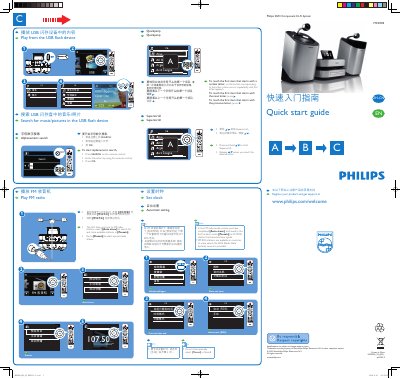
The guide introduces the Philips MCD900 DVD Component Hi-Fi System, its main unit, speakers, remote control, power cord and accessories. It explains how to connect the unit to a TV and speakers using the supplied audio/video cable (2‑3 m) or an optional HDMI cable.
Step‑by‑step instructions show how to play media from a USB flash device, tune FM radio, set the clock (automatically via RDS or manually), and use remote‑control functions such as disc menu, track selection, pause, stop and standby modes. This manual is written in Chinese.
| Audio/video connection cable length | 2‑3 m |
|---|---|
| Remote control batteries | 2 × AAA |
| Power indicator colour (active standby) | Red |
Insert the USB flash device and select the USB playback option; the unit will display and play the stored music or pictures.
Press the Manual button in step 4 of the clock‑setting menu to enter the time yourself.
When you first tune to an FM station, enable Auto store; the system will search for and save available stations in the first preset slot.