
This product is a high-value media player that integrates video, audio, and images. It does not require any internal hard disk and uses the unique USB HOST function to play video, audio, and image files on a mobile hard disk or SD card. It not only has AV video output, but also YUV high-definition output, which makes the image clearer and gives you a perfect visual experience. It can not only play files on a mobile hard disk or U disk, but also copy the contents of an SD card to a mobile hard disk or U disk. It particularly supports rm and rmvb files that are widely used on the Internet. This player supports FAT32 and NTFS hard disk files. The machine does not require manual keys and is fully remote controlled.
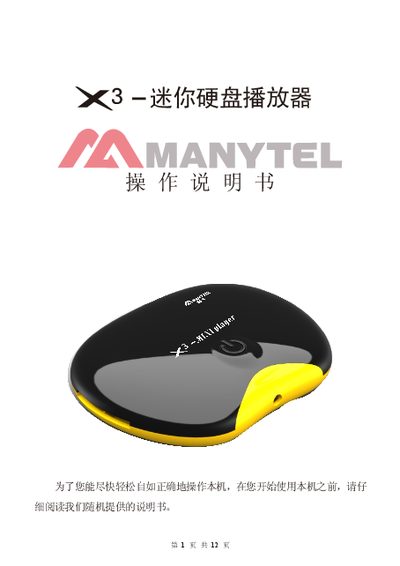
The 3 Mini Hard Disk Player is a compact media player that plays video, music and photos directly from an external USB hard drive or SD card without an internal drive. It supports AV and YUV high‑definition video output, a variety of audio and subtitle formats, and offers full remote‑control operation.
The manual details the remote‑control layout, installation steps for AV/YUV cables, how to browse and play files, copy data between SD cards and hard drives, and provides the technical specifications such as supported file systems, video/audio formats, power requirements and physical dimensions. This manual is written in Chinese.
| Video output | NTSC/PAL composite and YUV HD |
|---|---|
| Audio output | Stereo left/right channels |
| Supported file systems | FAT32 and NTFS |
| Supported audio formats | MP3, etc. |
| Supported image formats | JPEG, BMP, GIF, TIFF |
| Supported text format | TXT |
| Display aspect ratios | 4:3 and 16:9 |
| Power supply | 5.2 V DC external supply |
| Dimensions | 90 mm × 568 mm × 20 mm |
The remote works at a distance of at least a few meters and within a 60‑degree angle from the player.
Insert the red, yellow and white plugs of the AV cable into the TV’s AV input and the player’s “AV OUT” socket, then power on.