
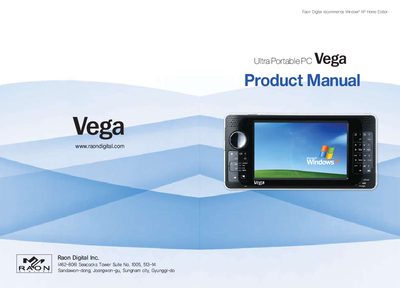
The Vega Ultra Portable PC is a 4.3" 800x480 LCD handheld computer with a built‑in touch screen, 13 front keys, and optional Wi‑Fi. The manual covers the device’s components, key functions, video output options, and system specifications.
It also details safety cautions, battery handling, BIOS restoration, Windows re‑installation, and the Vega Utility program for monitoring battery status, audio control, and other system functions.
| Display | 4.3" 800x480 16M color LCD |
|---|---|
| Main Memory | DDR400 / PC3200 256 MB or 512 MB |
| Processor | AMD CS5536 |
| Standard Battery Dimensions | 160 × 80 × 27.5 mm, 480 g |
| Compact Battery Dimensions | 160 × 80 × 24 mm, 350 g |
| Battery Life | Approximately 6 hours |
| External VGA Resolutions | 1280×1024, 1152×864, 1024×768, 800×600, 840×480 |
The battery provides about six hours of operation on a full charge.
Connect the external VGA monitor to the VGA port; supported resolutions include 1280×1024, 1152×864, 1024×768, 800×600, and 840×480.