
This document is the user manual of Enso camera, which mainly introduces the camera's use methods and function settings.
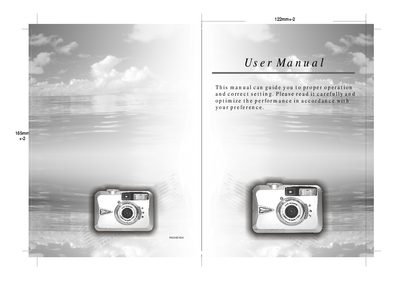
The guide provides step‑by‑step instructions for preparing the camera, inserting batteries and an SD card, and configuring basic settings such as focus range, flash mode, white balance, and image quality. It also describes how to use the various shooting modes, playback functions, and movie‑clip recording.
Additional sections cover safety notes, error messages, specifications, system requirements for the camera driver software, and troubleshooting tips. The manual includes diagrams of the camera’s external view and button layout to help users become familiar with the device.
| Effective Pixels | Approx. 1.92 Mega pixels |
|---|---|
| Total Pixels | Approx. 2.1 Mega pixels |
| Lens Focal Length | 5.6 mm (35 mm equivalent 43 mm) |
| Aperture (F‑Number) | F3.5 / F8.0 |
| Digital Zoom | 4× (continuous) |
| LCD Display | 1.6" color TFT LCD |
| Viewfinder | Optical |
| Focus Type | Fixed focus with three‑step manual adjustment |
| Shutter Speed | 1/4 – 1/1000 sec (mechanical), 1/1000 sec (electrical) |
| ISO (Auto) | 100‑200 |
| Power Source | 2 × AA Alkaline or Ni‑MH, optional 3.3 V/2.0 A AC adapter |
| Internal Memory | 8 MB flash |
| External Memory | SD Card (supports SD) |
| Dimensions (W×H×D) | 94 × 66 × 41 mm |
| Weight | 140 g (approx.) |
Slide the Power Switch to the side and hold it for 1 second to turn the camera on or off.
The camera uses 2 × AA batteries, preferably Duracell Ultra Alkaline, and can also use Ni‑MH rechargeable cells.
Turn the camera off, open the Battery/Memory Card cover, insert the SD card until you hear a click, then close the cover.