
This manual mainly introduces how to connect machine devices, image and sound connection methods, panel diagram, back panel diagram, remote control button configuration diagram, system settings, image settings, preference settings, playback system selection, operation instructions.
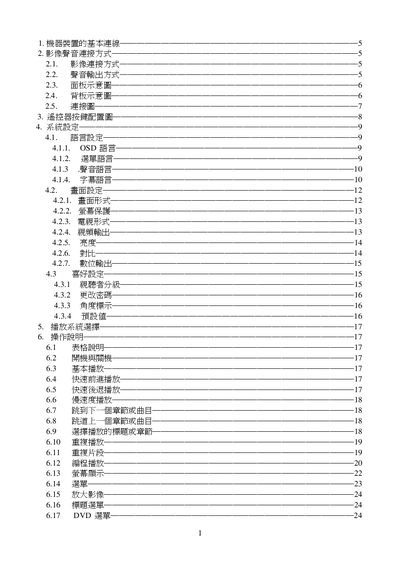
This manual covers the basic wiring, video and audio connection methods, system settings, and detailed operation instructions for the Kolin RC-888 DVD player. It also includes safety precautions, troubleshooting tips, and a full list of technical specifications.
The specification section lists supported video formats, audio response ranges, power requirements, and output levels, helping users verify that the device meets their installation needs. This manual is written in Chinese.
| Supported video formats | PAL / AUTO / NTSC |
|---|---|
| Audio frequency response | 20 Hz – 20 kHz |
| Analog audio output level | 2 V ±10 % (10 kΩ load) |
| Power supply | AC 110‑240 V, 30/60 Hz |
| Weight | ≈ 2.3 kg |
Select the OSD language option under System Settings → Language Settings.
Wipe the DVD with a dry, soft cloth; do not use gasoline, alcohol, or other chemicals.
Check that the main power switch is turned on and that the power cable is properly connected.