
Specifications of G-MAX N203 notebook computer, including screen size, resolution, CPU, memory, hard disk, optical drive, network interface, audio output, USB interface, I/O interface, power interface, operating system, optical drive type, security features, compatible card
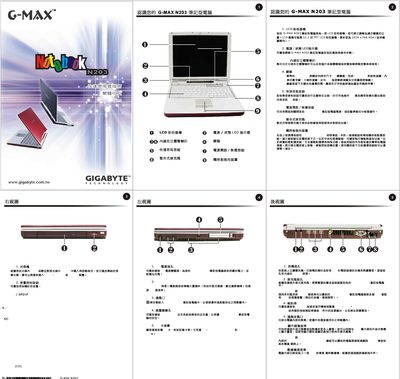
This manual introduces the G-MAX N203 notebook, describing its 12.1‑inch TFT LCD with 1024 × 768 XGA resolution, the power and status LEDs, the full‑size keyboard with shortcut keys, and the various ports such as audio jacks, DC‑IN, and PCMCIA slot. It also covers the built‑in microphone, speakers, and ventilation system.
The guide walks users through quick installation steps, including connecting the AC adapter, removing and reinstalling the battery, accessing the hard‑drive compartment, and using the Xpress Recovery utility for system backup and restoration. Additional instructions cover connecting external devices, formatting drives, and troubleshooting common issues. This manual is written in Chinese.
| LCD size | 12.1 inch |
|---|---|
| Resolution | 1024 x 768 XGA |
Slide the battery lock to the left, then lift the battery out of its compartment as shown in the manual.
Launch the Xpress Recovery utility from the system menu, select "System Recovery", and follow the on‑screen prompts to restore the original system state.