
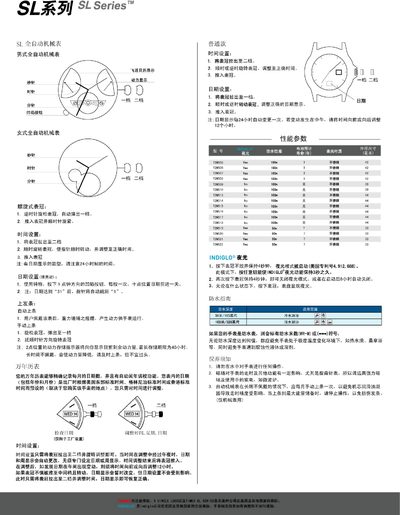
This manual explains how to operate the SL Series automatic mechanical watch, including setting the time, adjusting the date, and using the crown for winding. It also covers special functions such as the perpetual calendar, luminous mode, and water‑resistance guidelines.
Maintenance advice is provided, such as regular manual winding when the watch is not worn, avoiding strong magnetic fields, and proper care to preserve accuracy and power reserve. This manual is written in Chinese.
| Maximum power reserve | 40 hours |
|---|---|
| Luminous mode activation | Press crown for 4 seconds |
| Date auto‑jump | Date jumps from 31 to 1 automatically |
Pull the crown out to the second (two‑step) position, turn it clockwise to move the hands to the correct time, then push the crown back in.
Pull the crown out to the first position, turn it clockwise or counter‑clockwise to adjust the date, then push the crown back in.
Pull the crown out to the first position and rotate it clockwise to wind the mainspring.
Press and hold the crown for about 4 seconds; the dial will light up.