
This document lists the digital input functions of the A400 inverter, including digital input functions, working modes, input states, etc.
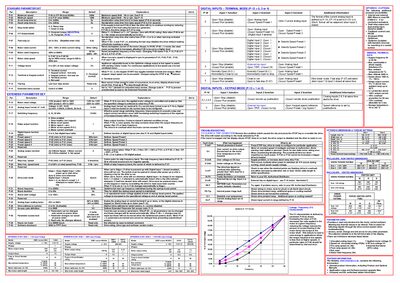
This guide explains how to install, commission, and operate the Invertek Optidrive E1 variable‑speed drive. It is intended for qualified personnel who need to integrate the drive into industrial equipment and must follow the safety notices and wiring requirements.
The document covers the Standard and Extended Parameter Sets, keypad and digital‑input operation, motor‑rating settings, switching‑frequency options, and troubleshooting steps. It also lists the drive’s mechanical dimensions, IP20 enclosure rating, and warranty information.
| Motor rated current | 25%‑100% of drive current rating |
|---|---|
| Switching frequency options | 8, 16, 32 kHz |
| Ingress protection rating | IP20 |
Set parameter P‑14 to 101 and press the NAVIGATE then DISPLAY keys to open the Extended Parameter Set.
The standard enclosure has an IP20 rating; higher IP ratings require a suitable external enclosure.