
Key facts
- Manuals
- 3
- Languages
- EN
- Last added
- 2012-03-21
Featured Invertek manuals
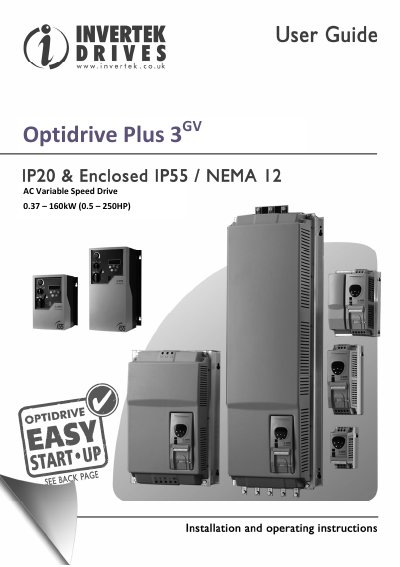
Invertek Optidrive Plus 3GV AC Variable Speed Drive User Guide
The Invertek Optidrive Plus 3GV is an AC variable‑speed drive covering power ranges from 0.37 kW to 160 kW (0.5 – 250 HP). This user guide details safety requirements, mechanical installation, electrical connections, parameter settings, troubleshooting and communication options such as Modbus.
The document is intended for qualified personnel and includes warranty information, environmental limits, IP rating, and recommended grounding practices. It also provides detailed rating tables, frame dimensions and weight for each drive size.
Covers: Introduction · General Information and Ratings · Mechanical Installation · Power and Control Connections · Operation · Parameters
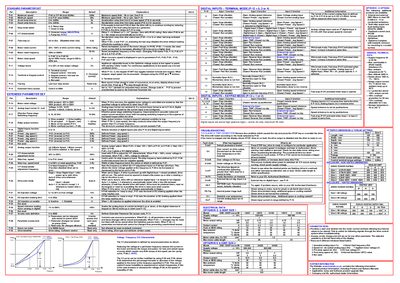
Invertek Optidrive E & ODEF User Guide
This manual provides detailed information for installing, configuring and operating the Invertek Optidrive E & ODEF series drives. It includes electrical data, wiring diagrams, parameter settings, and safety instructions for both terminal and keypad control modes.
The guide also covers mechanical installation, grounding requirements, fast‑stop functionality, and troubleshooting steps to clear trip conditions. Reference tables list standard technical data, dimensions, torque settings and digital input functions.
Covers: Electrical Data · Digital Inputs – Terminal Mode · Digital Inputs – Keypad Mode · Operating in Keypad Mode · Parameter Set · Standard Technical Data
Invertek Optidrive E1 User Guide
This guide explains how to install, commission, and operate the Invertek Optidrive E1 variable‑speed drive. It is intended for qualified personnel who need to integrate the drive into industrial equipment and must follow the safety notices and wiring requirements.
The document covers the Standard and Extended Parameter Sets, keypad and digital‑input operation, motor‑rating settings, switching‑frequency options, and troubleshooting steps. It also lists the drive’s mechanical dimensions, IP20 enclosure rating, and warranty information.
Covers: Safety · Warranty · Electrical Installation · Operation – Using the Keypad · Standard Parameter Set · Extended Parameter Set
Latest Invertek manuals
Invertek Optidrive Plus 3GV AC Variable Speed Drive User Guide
User Manual 36 pages · 3.2 MB · ENThe Invertek Optidrive Plus 3GV user guide provides installation, wiring, operation and safety information for the AC variable speed drive.
Invertek Optidrive E & ODEF User Guide
User Manual 2 pages · 403 KB · ENUser guide for Invertek Optidrive E & ODEF variable frequency drives, covering installation, operation, parameters and troubleshooting.
Invertek Optidrive E1 User Guide
User Manual 2 pages · 436 KB · ENThe Invertek Optidrive E1 User Guide provides installation, safety, and operating instructions for this AC variable speed drive.
Which document do I need?
User Manual
Day-to-day operation, settings and troubleshooting. Start here if the product is already set up.
Questions answered in Invertek manuals
What is the warranty period for the Optidrive Plus 3GV?
The drive comes with a two‑year warranty against manufacturing defects from the date of manufacture.
From: Invertek Optidrive Plus 3GV AC Variable Speed Drive User Guide
What is the IP rating of the standard Optidrive?
The standard Optidrive is rated IP20; higher IP ratings require a suitable enclosure.
From: Invertek Optidrive Plus 3GV AC Variable Speed Drive User Guide
What does the fast‑stop function do?
Fast stop (P‑07) immediately stops the drive when the specified digital inputs are closed together, disabling the output without coasting.
How can I save changes to parameter settings?
Switch the power supply off, wait for the drive to power down completely, then switch it on again; this saves changes when P‑38 is set to 0.
How do I access the Extended Parameter Set?
Set parameter P‑14 to 101 and press the NAVIGATE then DISPLAY keys to open the Extended Parameter Set.
What is the IP rating of the Optidrive enclosure?
The standard enclosure has an IP20 rating; higher IP ratings require a suitable external enclosure.