
This product is the IXUS 1000 HS digital camera released by Canon. Its features include a 16.0 megapixel CMOS sensor, a 3.2-inch TFT LCD display, support for an ISO 100-3200 wide sensitivity range, an optical image stabilizer, HS mode shooting, 60 frames of Full HD video, an HDMI interface, and WiFi wireless connectivity.
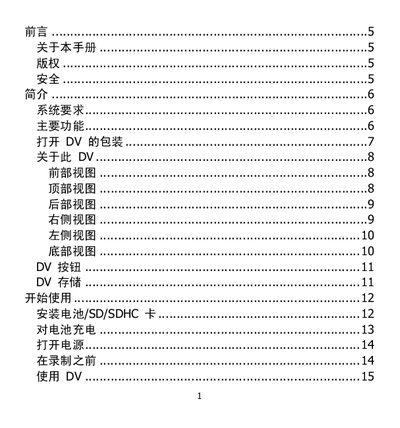
This manual provides instructions for setting up and using the DV camera, including safety precautions, installation steps, and detailed operating procedures. It also includes troubleshooting tips and warranty information.
Key features covered are the 3‑inch color LCD display, HDMI and USB connectivity, PictBridge support, and the camera's 14‑megapixel 1/2.3‑inch CMOS sensor with 5× optical and 10× digital zoom. The guide explains how to charge the battery, configure the device on Windows or Mac computers, and use the camera for photo and video playback. This manual is written in Japanese.
| Resolution | 14 megapixels |
|---|---|
| Image Sensor | 1/2.3 inch CMOS |
| LCD Screen | 3‑inch color LCD |
| Memory Card Support | Up to 4 GB SD, 32 GB SDHC |
| HDMI Interface | Yes |
| USB Port | Yes |
When the charger is connected, the battery LED indicator lights orange to show that charging is in progress.
Use the HDMI port to output video to a TV, or connect via USB for photo playback on compatible displays.
Check that an external video source is properly connected; if the LCD remains blank, replace the battery or check the cable connections.