
The Canon EF24mm f/1.4L II USM lens is a high-performance wide-angle lens developed exclusively for EOS cameras. It features aspherical lens elements and UD ultra-low dispersion lens elements to produce clear images with sharp outlines. SWC (subwavelength structure coating) greatly reduces ghosts and flare caused by light entering at a sharp angle. The USM (ultrasonic motor) provides high-speed, silent autofocusing. Manual focusing is possible when the subject enters the focusing range in autofocus mode (ONE SHOT AF (single-shot autofocus)). A true round aperture creates a better background blur. A tight sealing structure ensures excellent dust and drip resistance.
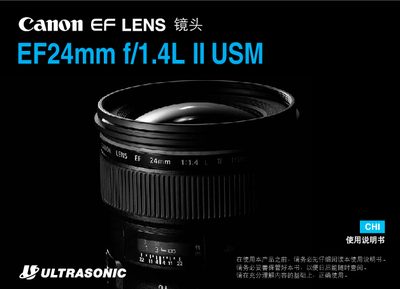
This user manual covers the Canon EF24mm f/1.4L II USM lens. It explains the symbols used in the manual and lists features such as aspherical and UD lens elements, a coating to reduce ghosting and flare, USM, full-time manual focus, a circular aperture, and dust- and drip-resistant construction.
The manual includes safety and usage precautions, a parts diagram, instructions for attaching and removing the lens, setting AF or MF, using the infinity correction and infrared index, reading the depth-of-field scale, attaching the hood and filters, and specifications. This manual is written in Chinese.
| Focal length | 24 mm |
|---|---|
| Closest focusing distance | 0.25 m |
| Maximum magnification | 0.17 |
| Filter diameter | 77 mm |
| Maximum diameter and length | 83.5 x 86.9 mm |
| Weight | 650 g |
Set the focus mode switch on the lens to MF, then turn the focus ring to focus.
Yes. In ONE SHOT AF, after autofocus you can half-press the shutter button and adjust focus manually.
The closest focusing distance is 0.25 m.
No. The specifications state that EF1.4X and EF2X extenders cannot be used with this lens.