
This document provides instructions for using a power supply product and identifies the functions of its components. The product can be powered by 220V AC electricity or 4 AA batteries, and it features a safe charging function. When using batteries, it is important to pay attention to their polarity and installation direction, avoid mixing different models or old and new batteries, and refrain from using batteries with low power. When fast forwarding or rewinding the tape, it is recommended to press the stop button after the tape has finished to avoid damaging the device. If the device is not used for a long time, it is advised to remove the batteries and unplug the power adapter. It is also cautioned not to clean the device with organic solvents, expose it to excessively cold, hot, or humid environments, or disassemble or drop it arbitrarily. The playback time should not exceed the maximum repeat time of the device to prevent covering previous sounds. When using headphones, adjust the volume to a suitable level to avoid damaging hearing.
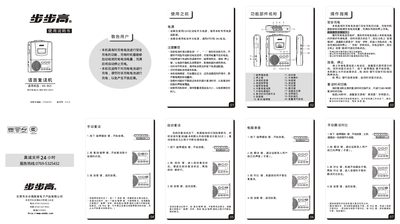
The BBK BK-863 is an educational tape recorder designed for language learning, featuring magnetic tape playback, recording, automatic and manual repeat functions, and a rechargeable battery. It includes a LCD display, headphone jack, and speaker for audio output.
This manual explains how to power the device with an AC adapter or batteries, operate playback and recording, set repeat times, use automatic repeat and follow‑read modes, adjust the clock, and perform basic troubleshooting such as checking power, tape, and audio connections. This manual is written in Chinese.
| Headphone output power | 10 mW |
|---|---|
| Speaker impedance | 40 Ω |
| Speaker output power | 0.25 W |
| Repeat time (short) | 240 seconds |
| Tape speed | Standard 4.76 %crys |
| Track format | Dual‑track monaural |
Insert the rechargeable battery pack, connect the external power adapter, and press the play key for 2 seconds; the LCD shows “充电” and charging starts, stopping automatically when full.
Press the “自动” key to enter automatic repeat; press the same key again to return to manual mode.
Toggle the repeat‑time switch on the left side of the unit to select either 240 seconds or 480 seconds.