
This document introduces the features and characteristics of a certain brand and model of product, including the product's functions, application scenarios, and usage methods.
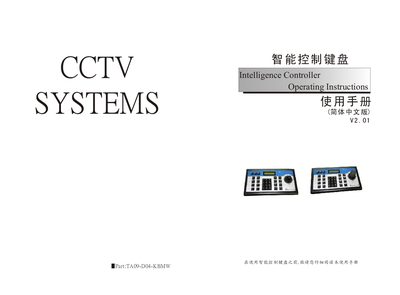
This manual provides step‑by‑step instructions for installing and operating the Intelligence Controller keyboard. It describes the front‑panel keys, LCD indicators, and connection interfaces, and explains how to switch between DVR control mode and PTZ (pan‑tilt‑zoom) control mode.
The document also details configuration procedures such as setting baud rate, password management, and preset point programming. Safety warnings and handling guidelines are included to prevent damage to the device in humid or dusty environments. This manual is written in Chinese.
| 通信接口 | RS485 half‑duplex |
|---|---|
| 波特率 | 1200~19200 bps |
| LCD (English) | 1602 characters |
| LCD (Chinese) | 122×32 characters |
| 最大通信距离 | 1200 m |
| 工作温度范围 | -10 °C ~ +50 °C |
| 电源 | DC‑12 V ±10 % 50 Hz |
| 功耗 | 最大 10 W |
| 尺寸 | 320 mm × 180 mm × 100 mm |
| 重量 | 约 2.7 kg |
Use the SETUP key to enter password setting mode, then enter a 4‑digit password (default 8888) and confirm with the ENTER key.