
Introduction of ASRock H55M Pro Motherboard
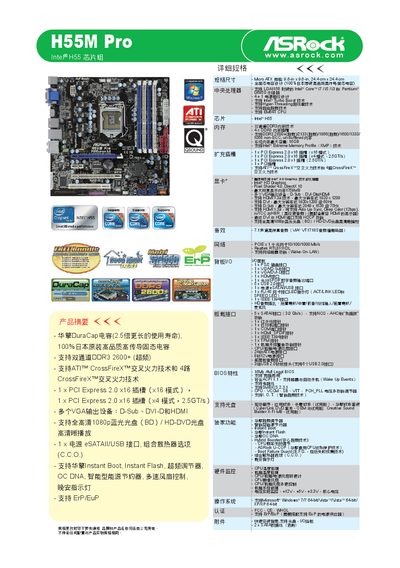
The guide details the hardware specifications of the H55M Pro motherboard, including support for LGA1156 socket Intel Core and Pentium CPUs, dual‑channel DDR3 memory up to DDR3‑2600+ (XMP), and a range of expansion slots such as PCI Express 2.0 x16 and x1. Video output options include D‑Sub, DVI‑D, and HDMI with resolutions up to 1920 × 1200, while audio is provided via a 7.1‑channel high‑fidelity codec.
Installation steps cover mounting the board, connecting power, USB, SATA, eSATA, IEEE 1394, TPM, and other onboard connectors. BIOS utilities such as Instant Boot, Instant Flash, and OC DNA overclocking are explained, allowing users to quickly update firmware, accelerate system start‑up, and apply custom overclock profiles.
| DIMM Slots | 4 |
|---|---|
| PCI Express x16 Slots | 1 (x16 mode) |
| Audio Codec | 7.1‑channel high‑fidelity (VT1718S) |
| LAN Controller | Realtek RTL8111DL |
| IEEE 1394 Port | 1 |
| BIOS Version | 18MHz AM Legal BIOS |
The board has four DDR3 DIMM slots with dual‑channel support, handling DDR3‑2600+ (XMP) speeds.
The motherboard includes Instant Boot, Instant Flash, and OC DNA overclocking tools.