
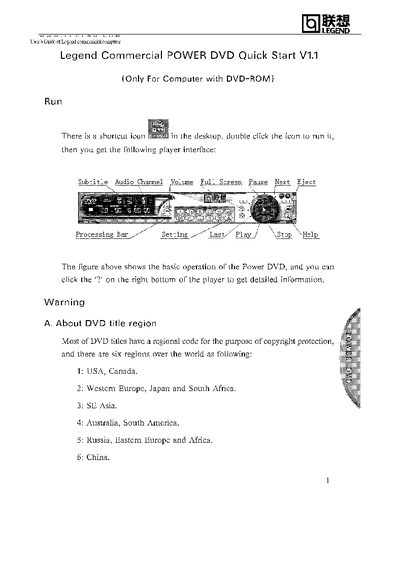
This guide explains how to launch the Legend POWER DVD player and use its basic controls such as subtitle, audio channel, volume, full screen, pause, next, and eject. Double‑click the desktop shortcut to open the player and access the interface.
It also covers DVD region handling: the first time a disc with a regional code is inserted, a Region Playback Control window appears. You can set the player’s region to match the disc, but the region can only be changed five times, after which it is fixed to the last setting.
| Supported DVD regions | 1‑6 |
|---|---|
| Maximum region changes allowed | 5 |
Double‑click the shortcut icon on the desktop to run the player.
You can change the region setting up to five times; after that the region is fixed.
A Region Playback Control window pops up asking whether to change the player’s region to match the disc.