
This instruction manual introduces the function and use of the notebook computer diagnostic card, including the main components of the system and how to use it, the Mini PCI interface of the diagnostic card, the Mini PCI-E interface of the diagnostic card, the LPC interface of the diagnostic card, the display interface of the diagnostic card and the diagnostic card Some error code explanations
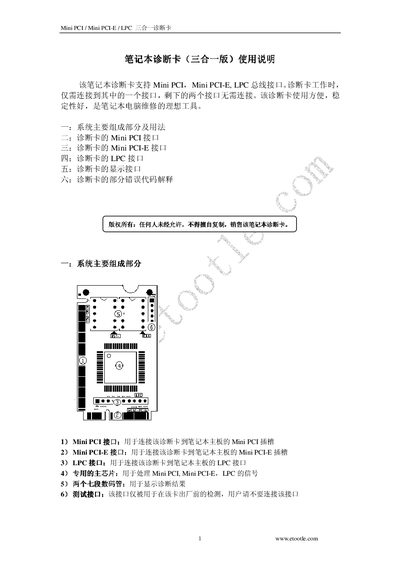
The diagnostic card supports three interfaces—Mini PCI, Mini PCLE, and LPC—allowing convenient testing of laptop motherboards. It connects to the appropriate slot on the motherboard and provides visual indicators of signal status.
The manual details the pin assignments for each interface, the wiring diagram for LPC BIOS connections, and the meaning of diagnostic codes displayed by the card, helping users identify and troubleshoot hardware issues. This manual is written in Chinese.
It supports Mini PCI, Mini PCLE, and LPC interfaces.
Code 01 corresponds to "外理問測式" (external test).
Do not connect them to a source that is not 3.3 V, as it may damage the card.