
Key facts
- Manuals
- 1
- Categories
- 1
- Languages
- ZH
- Last added
- 2012-03-12
Featured 笔记本诊断卡( manuals
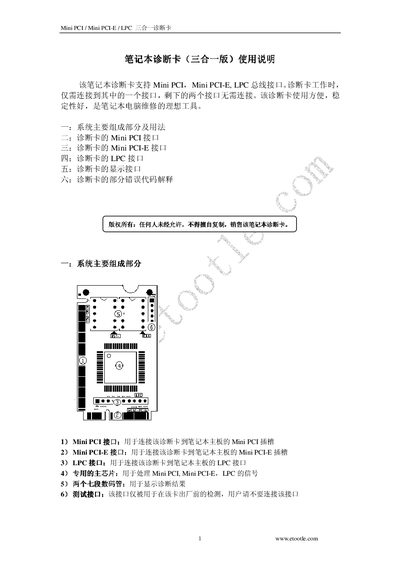
Mini PCI/ Mini PCLE/LPC Three-in-One Diagnostic Card User Manual
The diagnostic card supports three interfaces—Mini PCI, Mini PCLE, and LPC—allowing convenient testing of laptop motherboards. It connects to the appropriate slot on the motherboard and provides visual indicators of signal status.
The manual details the pin assignments for each interface, the wiring diagram for LPC BIOS connections, and the meaning of diagnostic codes displayed by the card, helping users identify and troubleshoot hardware issues. This manual is written in Chinese.
Covers: Supported Interfaces · Mini PCI Interface · Mini PCLE Interface · LPC Interface · Pin Assignments · Diagnostic Codes (AWARD BIOS)
Latest 笔记本诊断卡( manuals
Mini PCI/ Mini PCLE/LPC Three-in-One Diagnostic Card User Manual
User Manual 4 pages · 529 KB · ZHThis user manual explains how to connect and use the Mini PCI, Mini PCLE, and LPC three‑in‑one diagnostic card for laptop motherboard testing.
Which document do I need?
User Manual
Day-to-day operation, settings and troubleshooting. Start here if the product is already set up.
Questions answered in 笔记本诊断卡( manuals
Which interfaces does the diagnostic card support?
It supports Mini PCI, Mini PCLE, and LPC interfaces.
From: Mini PCI/ Mini PCLE/LPC Three-in-One Diagnostic Card User Manual
What does diagnostic code 0x01 indicate?
Code 01 corresponds to "外理問測式" (external test).
From: Mini PCI/ Mini PCLE/LPC Three-in-One Diagnostic Card User Manual