
This document provides instructions for using the Lenovo TD80t PC synchronization, including the installation and usage of the synchronization tool software, the installation of the synchronization data cable driver, and the operations of connecting to the internet, backup/restore, synchronizing contact information, managing text messages, and managing contacts.
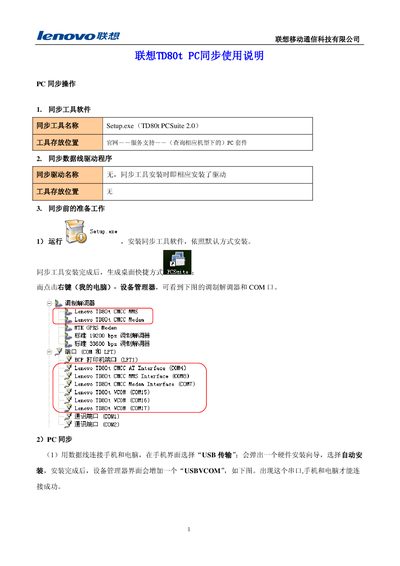
This manual describes the installation of the TD80t PC Suite 2.0 sync tool (Setup.exe) and the required drivers, which are installed automatically during the setup. After installation, a desktop shortcut is created and the phone appears as a USB VCOM modem in the Windows Device Manager, allowing PC communication.
It then covers the main functions of the software: syncing contacts with Outlook, backing up and restoring phone data (contacts, messages, etc.), sending and managing SMS from the PC, and using the phone as a modem for internet access. Step‑by‑step operation examples show how to connect to the internet, perform backup/restore, and resolve data conflicts during contact synchronization. This manual is written in Chinese.
| Sync tool name | Setup.exe (TD80t PCSuite 2.0) |
|---|---|
| Modem baud rate | 19200 bps |
| Modem baud rate | 33600 bps |