
This manual introduces the function features, application scenarios, product specifications, parameter setting methods, action modes, communication modes, and system management of the CSW-M85 serial↔wireless network conversion module.
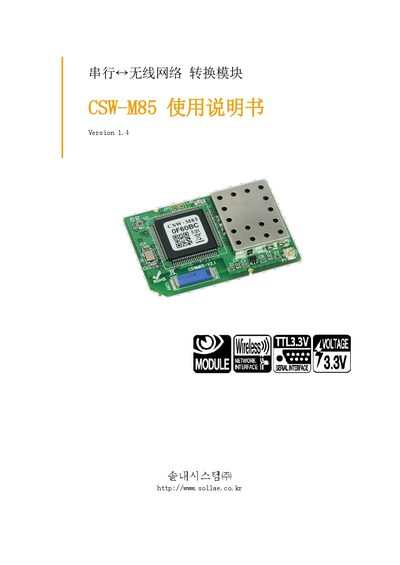
This manual provides an overview of the CSW-M85 device, a compact TCP/TP communication module that converts serial data to network protocols. It describes the main features, such as support for serial‑to‑TCP/TP conversion, Wi‑Fi (802.11b/g) connectivity, and configuration via ezManager.
The document details hardware specifications, software settings, operation modes (general, IS, AT command, UDP, etc.), security options (WEP, WPA/WPA2), and procedures for factory reset, firmware update, and technical support. This manual is written in Japanese.
| CPU | ARM7 Core |
|---|---|
| Flash Memory | 512 Kbytes |
| SRAM | 96 Kbytes |
| Operating Voltage | 3.3 V DC (0.3 W) |
| Current Consumption | 360 mA |
| Dimensions | 42 mm x 28 mm |
| Operating Temperature | -10 °C to 70 °C |
| Storage Temperature | -40 °C to 85 °C |
| Wi‑Fi Standard | 802.11b/g |
| RoHS Compliance | Yes |
Use the Factory Reset option in the ezManager configuration program to restore all parameters to their default values.
The device supports WEP, WPA‑PSK, and WPA2‑PSK for wireless security.
Technical support is available via the support page at http://www.eztcp.com/kr/support/ or by emailing [email protected].