
WIN58PG cash register printer is a direct thermal line printer produced by Qingdao Zhongke Yiteng Commercial System Co., Ltd. It has a print speed of about 50mm/s, a print paper width of 57.5±0.5mm, a print density of 8 dots/mm, 384 dots/line, and an effective print width of 48mm.
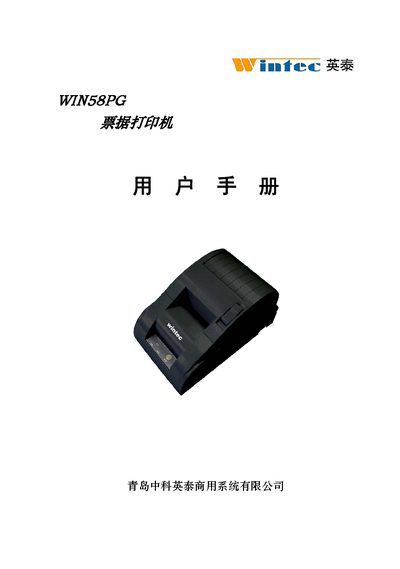
This manual covers safety information, required paper specifications, and environmental requirements for the WIN58PG thermal receipt printer. It details the printer’s dimensions, power needs, and supported interfaces such as RS‑232 serial, parallel, and cash‑drawer connections.
Installation instructions describe how to load the thermal paper roll, close the cover, and connect the appropriate interface. Operating procedures include using the control panel, performing self‑test prints, and issuing ESC/POS commands for text, graphics, and barcodes. A troubleshooting section lists common error indicators and their remedies. This manual is written in Chinese.
| Printing method | Direct thermal line printing |
|---|---|
| Printing speed | ≈ 50 mm/s |
| Paper width | 57.5 ± 0.5 mm |
| Print density | 8 dots/mm, 384 dots/line |
| Effective print width | 48 mm |
| Paper handling | Manual feed, paper roll |
| Paper‑out detection | Optical sensor |
| Print head life | 50 KJ |
| Power supply | DC 12 V, 2 A |
| Operating temperature | 5 °C – 40 °C |
| Operating humidity | 10 % – 80 % RH |
| Storage temperature | -20 °C – 60 °C |
| Storage humidity | 10 % – 90 % RH |
| Dimensions (L×W×H) | 215 mm × 135 mm × 113 mm |
| Weight | 1000 g (without paper roll) |
Turn off the printer, wait about 10 seconds for the print head to cool, then remove the jammed paper.
Load paper, press and hold the feed button while powering on, release the button within 5 seconds, and the printer will enter self‑test mode and print a checklist.