
Joybee E120 digital music player user manual, detailed introduction of the product's features and usage methods
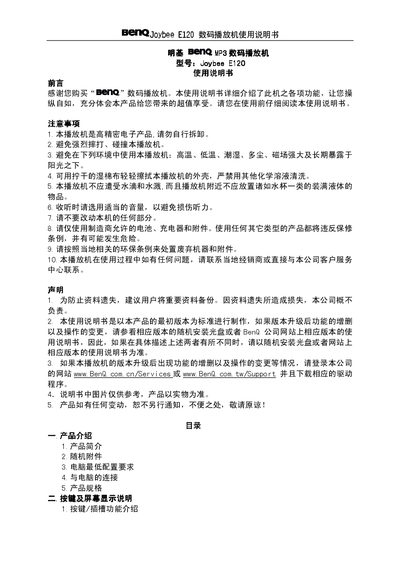
The manual introduces the Joybee E120 digital player, its features such as MP3/WMA playback, WAV recording, FM radio, language repeat, and built‑in flash storage options (64 MB‑512 MB). It lists the supplied accessories, minimum PC requirements, connection methods, and detailed product specifications including dimensions, battery type, and audio output.
Operational sections cover button functions, LCD display indicators, power management, charging methods, volume and sound‑effect settings, mode switching (MP3/WMA, voice, FM radio, recording), FM tuning and storage, USB safe removal, software installation and removal, and program updates. The appendix provides troubleshooting tips for common issues such as file format compatibility and device startup problems. This manual is written in Chinese.
| Storage options | 64 MB / 128 MB / 256 MB / 512 MB flash |
|---|---|
| USB interface | USB 2.0 |
| Transfer speed | > 900 KB/s |
| Recording format | WAV |
| Audio bit rate | MP3 8‑320 kbps; WMA 32‑192 kbps |
| Recording time (512 MB model) | ≈ 35 hours |
| Battery type | High‑energy polymer lithium |
| Charging time | ≈ 2.5 h (charger) / ≈ 2 h 40 min (PC) |
| Playback time | ≈ 16 hours |
| Maximum audio output | 4.0 mW × 2 (headphone) |
| FM frequency range | 87.5 MHz – 108.0 MHz |
| Dimensions | 57 mm × 38 mm × 11.5 mm |
The player is offered with built‑in flash memory of 64 MB, 128 MB, 256 MB or 512 MB, selectable at purchase.
With the 512 MB flash version, approximately 35 hours of WAV recordings can be saved.
It supports MP3 and WMA for playback and records audio in WAV format.