
TK103 GPS locator user manual, introduces the product's hardware structure, functional characteristics, and usage instructions
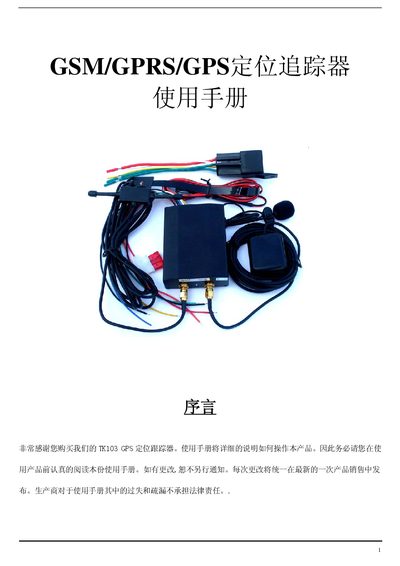
The TK103 GPS tracker is a GSM/GPRS/GPS device designed for vehicle monitoring and anti‑theft applications. This manual provides detailed instructions on hardware layout, SIM card installation, power connections, and operation commands.
Key sections include hardware description, full specifications, step‑by‑step usage instructions, safety warnings, fault handling, and a complete list of SMS command codes for remote control and alerts. This manual is written in Chinese.
| Dimensions | 85mm x 63mm x 25mm (3.3"*2.5"*0.98") |
|---|---|
| Net weight | 160 g |
| Network | GSM/GPRS/GPS |
| Frequency bands | 850/1800/1900 MHz or 900/1800/1900 MHz or 850/900/1800/1900 MHz |
| Chip | SIRF3 |
| GPS module | Siemens MC55 / MC56 / Simcom300 / Simcom340 |
| GPS sensitivity | -159 dBm |
| GPS accuracy | 5 m |
| Cold start time | 45 s |
| Warm start time | 35 s |
| Operating voltage | 10 V – 36 V |
| Battery | 3.7 V 1500 mAh Li‑ion |
| Standby time | 48 hours |
| Storage temperature | -40 °C to +85 °C |
| Operating temperature | -20 °C to +55 °C |
| Humidity range | 5 % – 95 % non‑condensing |
Insert the SIM card into the card slot, then insert the slot into the tracker unit.
Send an SMS with the format "password+oldPassword+ newPassword"; the device will reply "change password ok".
Send an SMS "at30sum15+password"; the device will reply "auto track set ok" and will send a position update every 30 seconds for 15 times.
Send an SMS "begin+password"; the device will reply "begin ok" and restore default settings.