
This document is a user manual that describes how to use the GSM/GPRS/GPS positioning tracker. The document provides detailed instructions on the hardware, specifications, and usage of the product, including the placement of the SIM card, installation of the locator, device startup, initialization settings, password settings, and authorization settings.
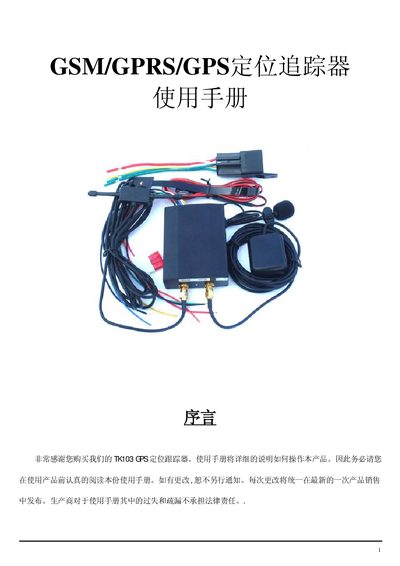
This guide provides step‑by‑step instructions for installing the tracker, inserting the SIM card, and initializing the device. It also covers how to change passwords, add authorized numbers, and set various tracking modes.
Technical specifications, safety warnings, and troubleshooting procedures are included, along with SMS command tables for remote control of oil and electric circuits, geofencing, and speed alerts. This manual is written in Chinese.
| Dimensions | 85mm x 63mm x 25mm |
|---|---|
| Weight | 160 g |
| GPS module | Simcom300 or Simcom340 |
| GPS sensitivity | -159 dBm |
| Cold start time | 45 s |
| Warm start time | 335 s |
| Operating voltage | 10 V–36 V |
| Standby time | 48 hours |
| Storage temperature range | -40 °C to +85 °C |
| Operating temperature range | -20 °C to +55 °C |
| Humidity range | 5 %–95 % non‑condensing |
Open the SIM slot, place the SIM card into the slot, and then insert the slot back into the tracker.
Send an SMS with the format "password+old_password+ space +new_password"; the device will reply "change password ok" if successful.
Send the SMS "at30sum15"; the device will reply "autotrack set ok" and will send data every 30 seconds.
Send the SMS "stopoil+password"; the device will reply "stop oil ok" to confirm the oil circuit is disabled.