
The Philips Brilliance SmartImage LCD monitor 19-inch S series 19S1CS is an enterprise-class display with features such as SmartImage, SmartContrast, SmartControl, and TrueVision, which can enhance productivity. This monitor complies with various international environmental standards and provides excellent display performance. It also features ergonomic design with height adjustment, tilt, and rotation, allowing for comfortable viewing angles. Additionally, it has dual inputs for analog VGA and digital DVI signals. The monitor comes with SmartControl II software and TrueVision technology, as well as Energy Star 5.0 certification.
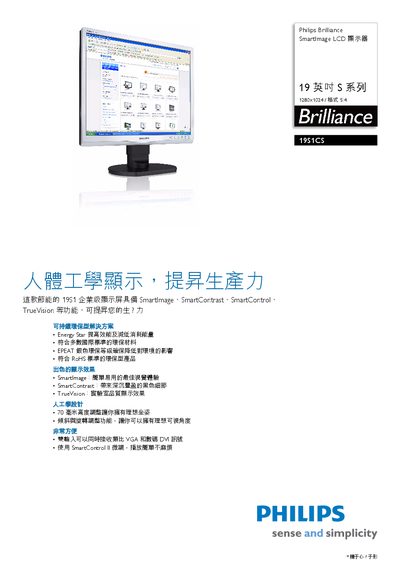
This manual covers the Philips 19S1CS 19‑inch SmartImage LCD monitor, detailing its SmartImage, SmartContrast, SmartControl, and TrueVision technologies, as well as ergonomic adjustments and connectivity options. It also outlines the monitor’s compliance with Energy Star 5.0, RoHS, and EPEAT Silver environmental standards.
The document includes detailed technical specifications, power‑saving modes, installation guidance, and warranty information, helping users configure the monitor for optimal image quality and energy efficiency. This manual is written in Chinese.
| Panel size | 19" / 48 cm |
|---|---|
| Resolution | 1280 × 1024 @ 60 Hz |
| Brightness | 250 cd/m² |
| Contrast ratio | 25000:1 |
| Viewing angle | 176° (H) / 71° (V) |
| Response time | 5 ms |
| ECO power mode | < 16.5 W |
| Standby power | 0.8 W |
The monitor provides both VGA (analog) and DVI (digital) connectors for simultaneous video input.
It features a height‑adjustable stand up to 70 cm, with tilt, swivel, and pivot functions for flexible positioning.
The monitor meets Energy Star 5.0, offers an ECO mode under 16.5 W, standby mode at 0.8 W, and off mode below 0.5 W.
Yes, it complies with RoHS, carries an EPEAT Silver rating, and uses 100 % recyclable packaging materials.