
This document is a VI user manual, which introduces the basic operation commands of the VI editor, including moving the cursor, scrolling the screen, inserting text, deleting commands, searching and replacing commands, option settings, line mode commands, etc.
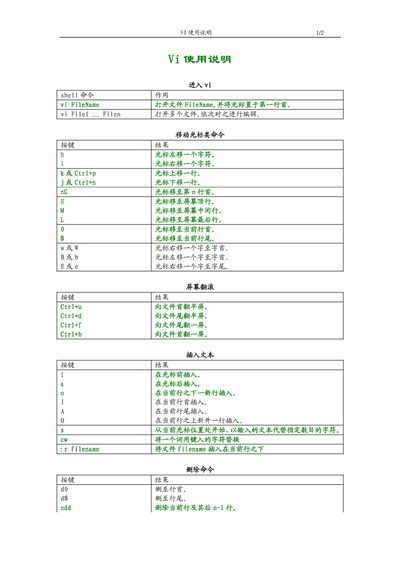
This manual provides a concise reference for the Vi text editor, covering cursor movement, screen scrolling, and basic editing commands. It explains how to open files, insert text, delete characters or lines, and navigate within a file using familiar keystrokes.
Additional sections describe search and replace operations, special character handling, option settings, line‑range commands, and the use of registers for storing and retrieving text. The guide is intended for users who need a quick reference to Vi's command‑mode functionality. This manual is written in Chinese.
Press the 'h' key to move the cursor left one character.
Use '/Pattern' to search forward from the cursor position to the end of the file.
Enter 'dd' to delete the current line.
Set the option with 'set ignorecase' to ignore case in searches.