
This document introduces the installation and adjustment methods of Haier washing machines, as well as precautions and function descriptions during use.
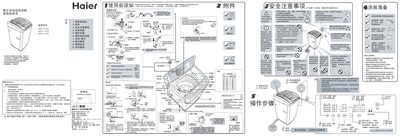
This manual explains how to install and adjust the Haier XQB60‑Z9288 washing machine safely. It details the order of installation steps – checking the drain hose direction, mounting the bottom cover, positioning the unit, and connecting the water inlet pipe – and provides a link to Haier’s online service portal for assistance.
The guide also describes the machine’s operating functions, including program selection, water‑level settings (4, 6, 8), the child‑lock feature, and error codes such as “E2”. Instructions for programming, scheduling washes, and handling common alerts are included to help users achieve optimal performance. This manual is written in Chinese.
| Water level options | 4, 6, 8 |
|---|
E2 appears when the child lock is engaged; release the child lock and close the lid to clear the error.
Select a water level of 4, 6, or 8 in the program menu; the machine will automatically adjust to the chosen level.
Yes, press the “自编程” button to set a reservation; the display will flash showing the remaining time.