
MCP3221-EVM is a demonstration kit developed by Wuhan LiYuan company. MCP3221 is a low-power 12-bit A/D device from Microchip. The demonstration kit includes: evaluation board, RS-232 serial cable and data disc containing demo program and data running on PC. The MCU on the evaluation board automatically collects the conversion data of MCP3221 and sends it to the PC through the serial port. The application program can watch the signal waveform changes in real time or save the data as a text file.
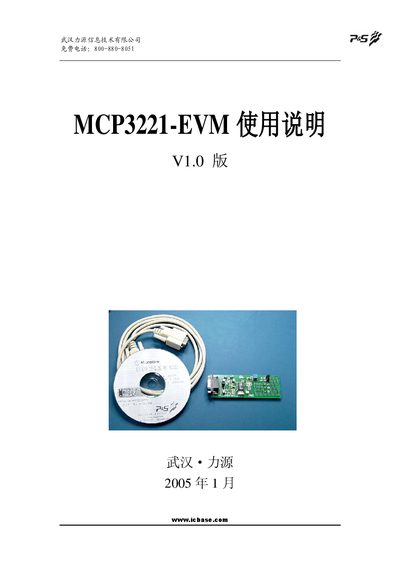
The MCP3221‑EVM is an evaluation kit developed by Wuhan Liyuan for Microchip's low‑power 12‑bit MCP3221 A/D converter. The kit includes an evaluation board, RS‑232 cable, and a CD with PC software for real‑time waveform display and data logging.
The manual covers hardware connections, software installation, operation of the demo program, data recording, serial‑port debugging, and provides source code for 8051 and PIC microcontrollers. Ordering information and specifications of the MCP3221 device are also included. This manual is written in Chinese.
| Maximum conversion current | 250 µA |
|---|---|
| Static current | 5 nA typical, 1 µA max |
| Maximum devices on one I²C bus | 8 |
| Sampling rate | 22.3 ksps |
| Supply voltage | 2.7 V to 5.5 V |
| Operating temperature (industrial) | -40 °C to +85 °C |
| Package | SOT‑23 |
Connect the board to the PC’s serial port 1 using the supplied cable.
Copy the mscomm32.ocx file from the CD to the current directory or the system’s system directory.
Press the “记录” (Record) button; the data are saved automatically as TDSxxxx.dat in the program’s folder, up to 32 000 points per file.
Set the port to 57600 bps, 8 data bits, 1 stop bit, no parity, no flow control, and enable DTR and RTS.