
CYT9000 ed led controller is a control system specially developed for LED point light source market, mainly for neon light replacement scheme, advertising signage and other market applications.
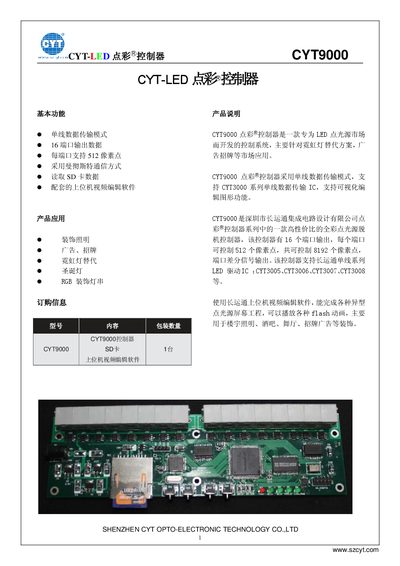
The CYT CYT9000 is a 16‑port LED stippling controller that uses single‑wire Manchester communication to drive up to 8,192 pixel points. It supports SD‑card offline operation, FAT16 formatting, and can play Flash animation files via the supplied PC editing software. The controller works at 5 V and interfaces to CYT3000 series driver ICs (3.3 V) through RJ11 differential ports.
The manual describes the front‑panel keys, status LEDs, port pin assignments, power specifications, environmental limits, and a component list. It also includes a troubleshooting section covering power, SD‑card, and port indicator issues, as well as guidelines for long‑distance RS‑485 transmission. This manual is written in Chinese.
| Output DC voltage | 5 V |
|---|---|
| Rated current | 1 A |
| Rated power | 5 W |
| Input voltage range | 90 V‑264 VAC |
| Frequency range | 47‑63 Hz |
| Efficiency | 65 % |
| Load regulation | 5 % |
| Working temperature | -30 °C to +70 °C |
| Dimensions (L×W×H) | 72 mm × 56 mm × 35 mm |
Press the mode key; the mode indicator light turns on for multi‑file loop playback and turns off for single‑file playback.
It indicates that no SD card is inserted in the controller.
Verify that the AC power is on, the 5 V DC output is present, and the power LED is not damaged.