
IBM Infoprint 1226 is a business printing solution with high-speed printing and various networking capabilities. It supports A3 and Ledger size paper, with fast printing and IPDS options for enhanced print management. Additionally, it offers extensive networking capabilities, including wireless Ethernet.
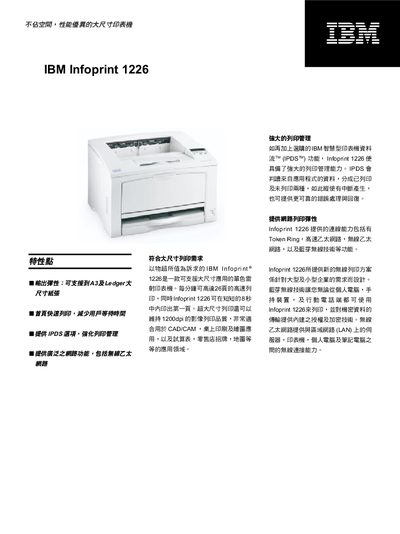
The IBM Infoprint 1226 is a large‑format laser printer designed for high‑speed, high‑quality output. It can print up to 26 pages per minute and produce the first page in about 8 seconds, with resolutions of 300 dpi, 600 dpi, and 1200 dpi, making it suitable for CAD/CAM, desktop publishing, and retail signage.
The printer offers extensive connectivity, including Token Ring, Ethernet (10/100 Base‑TX), Bluetooth 802.11b, USB, and bidirectional parallel ports. It supports PCL 6 and PostScript 3 emulation, handles a variety of paper sizes from Letter to A3, and provides optional accessories such as fiber‑optic and serial converters. This manual is written in Chinese.
| Maximum print speed | 26 ppm |
|---|---|
| First‑page print time | 8 seconds |
| Print resolution | 300 dpi, 600 dpi, 1200 dpi |
| Standard paper capacity | 400 sheets (250 + 150) |
| Maximum paper capacity | 1,400 sheets |
| Standard output capacity | 250 sheets |
| PC interface | 1 USB port, bidirectional parallel port |
| Supported print sizes | Letter, Legal, A4, A5, JIS B4, JIS B5, Executive, Tabloid, A3 |
| Compatibility | PCL 6 emulation, PostScript 3 emulation |
| Physical dimensions | 18.07" W × 16.93" D × 12.2" H |
| Toner cartridge capacity | 12,000 pages |
It can print up to 26 pages per minute.
The first page can be printed in about 8 seconds.
The printer supports 300 dpi, 600 dpi, and 1200 dpi resolutions.
It includes Token Ring, Ethernet (10/100 Base‑TX), Bluetooth 802.11b, USB, and a bidirectional parallel port.