
This Quick Start Guide explains how to insert a SIM card and battery, insert a memory card, charge the battery, and use the phone's buttons and components.
This guide helps users get started with the Nokia E50 mobile phone. It covers essential steps such as inserting the SIM card, connecting accessories, and navigating the basic menus.
Key sections include SIM installation, headset connection via the Pop‑Port, setting PIN and security codes, adjusting date and time, charging the device, and using data transfer features. The guide also points to online resources for software updates and further assistance. This manual is written in Chinese.
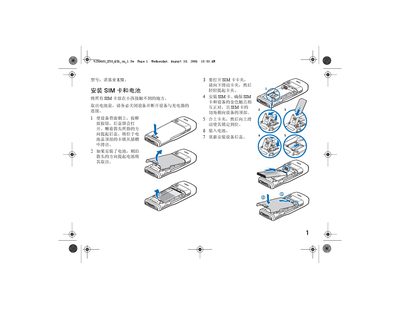
Remove the back cover, place the SIM card with the gold contacts facing down, and re‑attach the cover as shown in the guide.
Use the Pop‑Port connector on the device to attach the headset.