
This manual is a user manual for a laptop computer. It mainly introduces the safety instructions, maintenance and operating instructions for the computer.
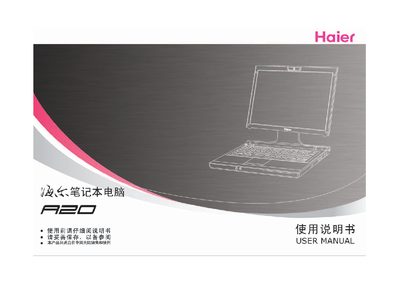
This manual provides safety precautions, proper handling, and maintenance instructions for the Haier A20 laptop. It covers power requirements, battery usage, cleaning, and recommended work habits.
Additional sections describe travel preparation, in‑flight considerations, and detailed technical specifications such as networking, camera modules, power adapter ratings, dimensions, and environmental limits. This manual is written in Chinese.
| Network | 10/100Mb Base‑T Ethernet |
|---|---|
| Modem | 56K modem module |
| Camera module (standard) | 300K pixel USB PC camera |
| Camera module (high‑res) | 1.3M pixel USB PC camera |
| Camera module (full‑HD) | 2.0M pixel USB PC camera |
| Power adapter input | 100‑240 V, 50‑60 Hz |
| Power adapter output | 19 V / 3.42 A (65 W) |
| Battery (standard) | 4‑cell smart Li‑ion 2.4 Ah |
| Battery (extended) | 8‑cell smart Li‑ion 4.4 Ah |
| Dimensions (W×L×H) | 299 mm × 219 mm × 26.5‑35.7 mm |
| Weight | 1.8 kg (incl. 4‑cell battery) |
| Operating temperature | 5 °C – 35 °C |
| Storage temperature | -20 °C – 60 °C |
| Relative humidity (operating) | 20 % – 80 % |
Only the battery specifically designed for this laptop should be used; using other types may cause explosion or damage.
Use the dedicated AC/DC adapter with input 100‑240 V, 50‑60 Hz and output 19 V / 3.42 A (65 W).
Clean with a dry, soft cloth; do not apply cleaning agents directly to the laptop.