
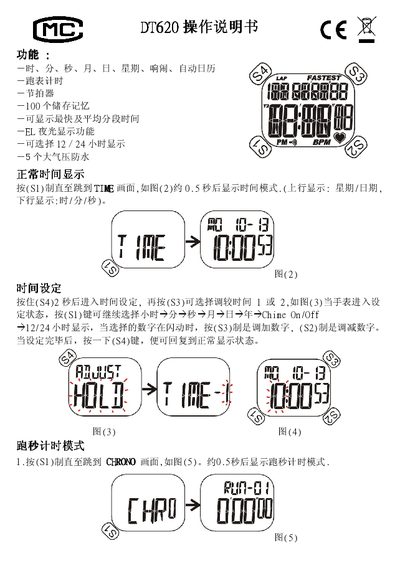
This is the operation manual for the Ultrak DT620 digital watch. It explains normal time display, time and alarm setting, chronograph use, the pacer, and the EL backlight.
It also covers precautions for water resistance, temperature, shock, static electricity, magnetism, and chemicals, plus CR2032 battery replacement and troubleshooting. This manual is written in Chinese.
| Water resistance | 5 atmospheres |
|---|---|
| Chronograph memory | 100 lap records max |
| Battery | CR2032 lithium battery |
| Time display format | 12/24 hour |
| Backlight | EL backlight |
| Pacer frequencies | 10,20,30,40,60,70,80,100,120,180,240 |
Press and hold S4 for 2 seconds to enter time setting, then choose the item with S1 and adjust the flashing digit with S3 or S2.
It can store up to 100 segment records.
Replace it with a CR2032 lithium battery or equivalent at a specialist repair shop when the display dims or disappears.
Yes, the watch has 5-atmosphere water resistance.