
LevelOne IP Camera FCS-1010/1030/1040/1050/1060/1070/3000/ WCS-2010/2030/2040/2060/2070/ WCS-0010 FCS-0010 FCS-1081 FCS-3021 FCS-4XXX For FCS-9032(1.8-Lite) chinese quick Installation Guide

The LevelOne IP Camera Quick Installation Guide is applicable to FCS-1010/1030/1040/1050/1060/1070/3000/ WCS-2010/2030/2040/2060/2070/ WCS-0010 / FCS-0010 / FCS-1081 / FCS-3021 / FCS-4XXX. The guide provides instructions for usage and installation.
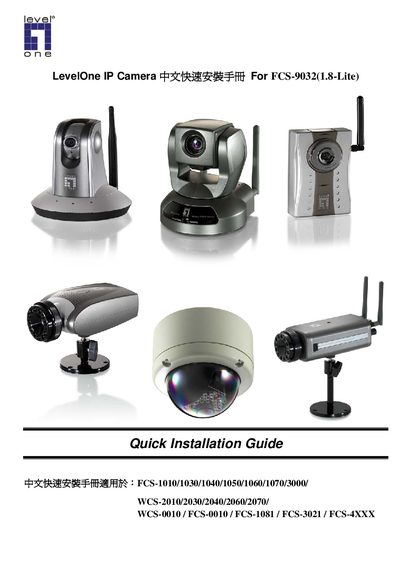

LevelOne IP Camera FCS-1010/1030/1040/1050/1060/1070/3000/ WCS-2010/2030/2040/2060/2070/ WCS-0010 FCS-0010 FCS-1081 FCS-3021 FCS-4XXX For FCS-9032(1.8-Lite) chinese quick Installation Guide - cover page
Brand
LevelOne
Category
Other
Document type
Installation Guide
Language
Chinese
Pages
15
File format
PDF
File size
1.5 MB
Published
25 November, 2011
Updated
29 September, 2023
MD5 checksum
85502FF7C6507AD5C5787E85F77FA156

About this manual

This guide provides step‑by‑step instructions for installing LevelOne IP Camera hardware and software. It lists the supported models, required connections, and the software installation wizard process.

After installing the software from the supplied CD‑ROM, users configure network settings, wireless LAN parameters, and optional ActiveX controls through the web management interface to complete the camera setup. This manual is written in Chinese.

What's inside

  • Precautions
  • Hardware Connection
  • Software Installation
  • Network Configuration
  • Wireless Settings
  • ActiveX Installation
  • Final Setup

Specifications

Supported ModelsFCS-1010/1030/1040/1050/1060/1070/3000, WCS-2010/2030/2040/2060/2070, etc.
Maximum Channels32

Frequently asked questions

How can I configure the wireless LAN settings for the camera?

Open the camera’s web management page, go to Configuration → Wireless LAN, and set the SSID, security mode, and channel as needed.

Download PDF (1.5 MB)

More LevelOne Manuals


View all LevelOne manuals →