
Key facts
- Manuals
- 5
- Models
- 12
- Languages
- EN · ZH
- Last added
- 2026-10-03
LevelOne models by category
Featured LevelOne manuals
LEVELONE Bluetooth USB Adapter User Manual
This manual explains how to install the LEVELONE Bluetooth USB Adapter, set up the accompanying software, and configure Bluetooth settings on Windows PCs. It covers hardware installation, software requirements, and step‑by‑step procedures for connecting and using Bluetooth devices.
Additional sections address security features, common troubleshooting problems, and detailed product specifications such as frequency band, power source, and supported operating systems. A glossary defines technical terms used throughout the document.
Covers: Introduction · Software Installation · Basic Operations · Configure Bluetooth · Security · Troubleshooting
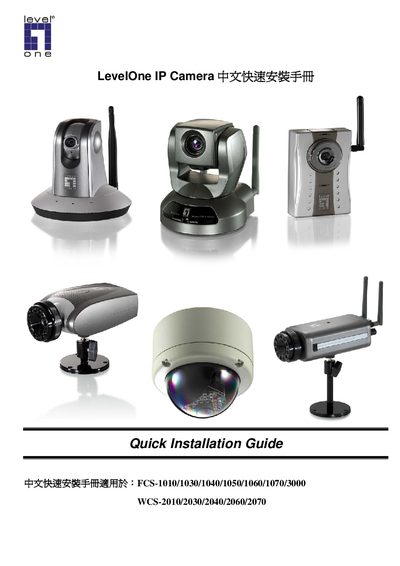
LevelOne IP Camera Quick Installation Guide
The guide walks you through installing the LevelOne IP Camera software using the InstallShield Wizard. It covers selecting the installation folder, completing the wizard steps, and launching the IP CamSecure application.\n\nNetwork configuration details are included, such as assigning IP addresses, enabling Auto IP, and setting up wireless LAN parameters (SSID, security mode, channel). The document also references client settings, motion detection, and system log features for basic camera operation.
Covers: Quick Installation Guide · Install Software · Installation Wizard · Network Configuration · Wireless LAN Settings · Client Settings
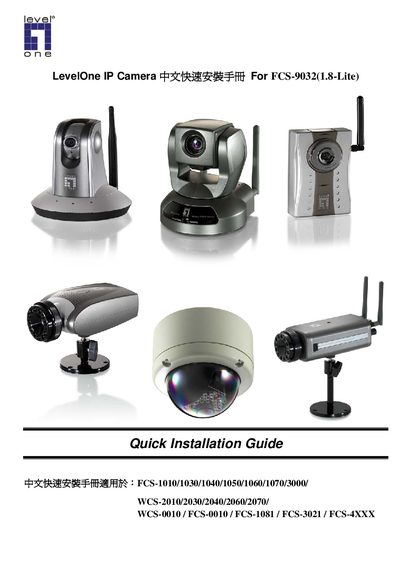
LevelOne IP Camera FCS-1010/1030/1040/1050/1060/1070/3000/ WCS-2010/2030/2040/2060/2070/ WCS-0010 FCS-0010 FCS-1081 FCS-3021 FCS-4XXX For FCS-9032(1.8-Lite) chinese quick Installation Guide
This guide provides step‑by‑step instructions for installing LevelOne IP Camera hardware and software. It lists the supported models, required connections, and the software installation wizard process.
After installing the software from the supplied CD‑ROM, users configure network settings, wireless LAN parameters, and optional ActiveX controls through the web management interface to complete the camera setup. This manual is written in Chinese.
Covers: Precautions · Hardware Connection · Software Installation · Network Configuration · Wireless Settings · ActiveX Installation
Latest LevelOne manuals
LEVELONE Bluetooth USB Adapter User Manual
User Manual 62 pages · 1.2 MB · ENThe LEVELONE Bluetooth USB Adapter User Manual provides installation, configuration, operation, security, troubleshooting, and specifications.
LevelOne IP Camera Quick Installation Guide
Quick Start Guide 13 pages · 2 MB · ENThis quick installation guide provides step‑by‑step instructions for setting up LevelOne IP cameras.
LevelOne IP Camera FCS-1010/1030/1040/1050/1060/1070/3000/ WCS-2010/2030/2040/2060/2070/ WCS-0010 FCS-0010 FCS-1081 FCS-3021 FCS-4XXX For FCS-9032(1.8-Lite) chinese quick Installation Guide
Installation Guide 15 pages · 1.5 MB · ZHQuick installation guide for LevelOne IP Camera models covering hardware setup, software installation, and network configuration.
LevelOne IP Camera FCS-1010/1030/1040/1050/1060/1070/3000 WCS-2010/2030/2040/2060/2070 chinese quick Installation Guide
LevelOne IP Camera chinese quick Installation Guide
Which document do I need?
User Manual
Day-to-day operation, settings and troubleshooting. Start here if the product is already set up.
Quick Start Guide
The shortest path to a working setup, usually only a few pages.
Installation Guide
Mounting, wiring and first power-up. Read it before the hardware goes in.
Questions answered in LevelOne manuals
How can I configure the wireless LAN settings for the camera?
Open the camera’s web management page, go to Configuration → Wireless LAN, and set the SSID, security mode, and channel as needed.