
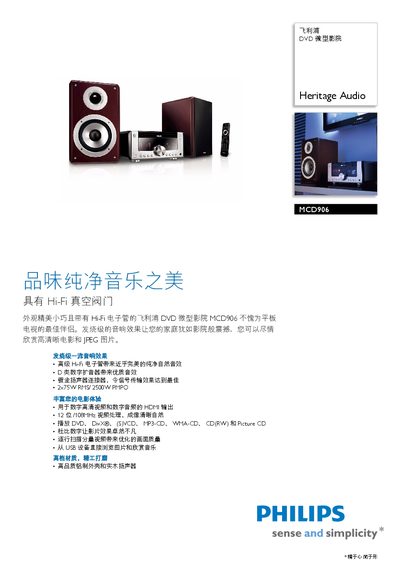
The Philips MCD906 is a compact DVD mini‑theater that combines a flat‑panel TV with a Hi‑Fi tube‑based audio system. It offers high‑fidelity sound through a built‑in vacuum tube amplifier and gold‑plated speaker connectors, delivering up to 2 × 75 W RMS power.
This manual covers product overview, connection options such as HDMI and USB, detailed explanations of the D‑class digital amplifier, 12‑bit/108 MHz video DAC, Dolby Digital audio, supported media formats, remote control functions, dimensions, power requirements, and safety information. This manual is written in Chinese.
| Audio Output Power (RMS) | 2 × 75 W |
|---|---|
| Maximum Audio Power (PMPO) | 12 500 W |
| Video DAC | 12‑bit / 108 MHz |
| HDMI Output | Digital video and multi‑channel audio |
| Speaker Size | 5.25 in bass driver |
| Power Supply | 220 V, 60 Hz |
It uses a D‑class digital amplifier that converts analog signals to digital, offering about 90 % efficiency compared with traditional AB amplifiers.
Insert the USB device into the USB port and the system will browse and play the stored music and photos directly.
Video formats include DivX, DYD‑Video, Picture CD, Video CD/SYCD, DYD+RA+RW, and DYD‑R/‑RYV. Audio formats include WMA‑CD, MP3‑CD, CD, and CD‑R/‑RW.