
Key facts
- Manuals
- 12
- Models
- 3
- Languages
- ZH
- Last added
- 2026-10-01
Lumens models by category
Featured Lumens manuals
Lumens VC-TR1 LumensCMS Software User Manual
This manual provides step‑by‑step instructions for installing LumensCMS, connecting the VC‑TR1 camera to a network, and configuring tracking parameters. It includes system requirements, device manager usage, live‑view controls, PTZ functions, and detailed settings for tracking areas, blocked zones, and smart switching.
The final chapter offers common troubleshooting tips, such as how to start/stop tracking, adjust recording paths, and resolve connection issues between the software and the VC‑TR1 camera. This manual is written in Chinese.
Covers: Software Installation and Tracking Settings · System Requirements · Camera Connection · Device Manager · Live View and Tracking · Tracking Settings
Lumens DP Tuner 70 Remote Control Software User Manual
The DP Tuner 70 remote control software provides a PC‑based interface for adjusting the color, brightness and input parameters of large‑screen monitors. It runs on Windows and communicates with the displays through RS232 (or USB/Ethernet adapters) to replace the handheld remote.
The guide covers system requirements, installation steps, initial configuration, detailed function menus for signal source selection, internal color adjustment, external signal control, service parameter settings, and how to save or load configuration files. This manual is written in Chinese.
Covers: What is DP Tuner · Applicable Models · System Requirements · Installation · Initial Settings · Function Introduction
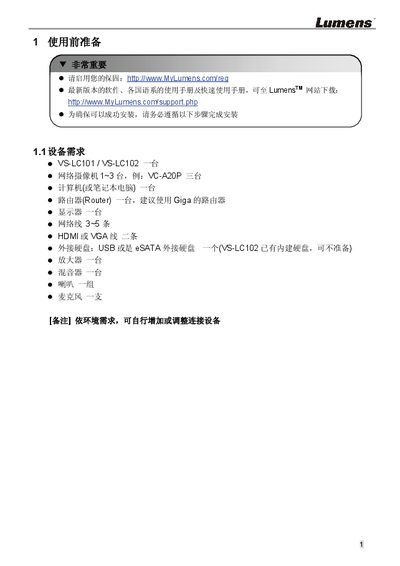
Lumens VS-LC101/VS-LC102 User Manual
The guide outlines the required equipment and steps to set up the VS‑LC101/VS‑LC102 system, including a computer, router, monitor, HDMI/VGA cables, external storage, and optional audio equipment. It also explains how to register the warranty and download the latest software from the Lumens website.
Detailed procedures cover network configuration, IP address settings, web‑based remote management, storage formatting, video and audio source selection, screen layout planning, and verification of recording and playback functions. The manual includes front‑panel and rear‑panel I/O descriptions, remote‑control shortcuts, and safety information about hazardous substances. This manual is written in Chinese.
Covers: 使用前准备 · 连接说明 · 安装及设定说明 · 确认并设定 VC‑A20P 之网络设定 · 确认 VS‑LC101/VS‑LC102 之 IP Address · 联机 VS‑LC101/VS‑LC102 之 Webpage
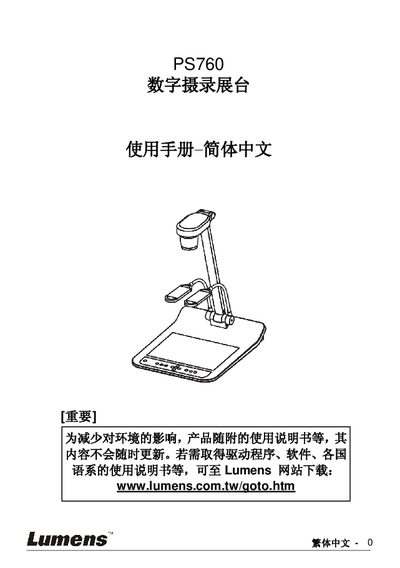
Lumens PS760 Digital Videography Booth User Manual
This manual covers safety guidelines, product overview, and detailed installation steps for connecting the PS760 to projectors, computers, and other devices. It explains how to set up video inputs such as C‑Video, S‑Video, HDMI/HDTV, and VGA, as well as audio connections and RS232 control.
The guide also describes common functions like Auto Tune, image zoom, PIP, and factory reset, and includes a troubleshooting chapter that lists typical issues and their solutions. Firmware update instructions and support contact information are provided at the end. This manual is written in Chinese.
Covers: Safety Instructions · Product Overview · Installation and Connections · Common Functions · Control Panel and Remote · DIP Switch Settings
Latest Lumens manuals
Lumens VC-TR1 LumensCMS Software User Manual
User Manual 19 pages · 1.3 MB · ZHUser manual for LumensCMS software that controls the VC-TR1 tracking camera, covering installation, configuration, functions and troubleshooting.
Lumens DP Tuner 70 Remote Control Software User Manual
User Manual 19 pages · 1.3 MB · ZHThis manual explains how to install and use the DP Tuner 70 software on Windows to configure color, brightness and signal settings of large‑screen monitors…
Lumens VS-LC101/VS-LC102 User Manual
User Manual 12 pages · 3.4 MB · ZHThis manual provides installation, connection, configuration, and operation instructions for the Lumens VS‑LC101 and VS‑LC102 devices.
Lumens PS760 Digital Videography Booth User Manual
User Manual 51 pages · 2.5 MB · ZHThe Lumens PS760 User Manual provides safety instructions, installation, operation, and troubleshooting for the digital videography booth.
Lumens PS750 Document Camera User Manual
User Manual 45 pages · 3 MB · ZHThe Lumens PS750 document camera user manual provides safety instructions, setup, operation and troubleshooting details.
Lumens DC265 User Manual
User Manual 41 pages · 1.7 MB · ZHThe Lumens DC265 user manual provides safety instructions, installation steps, operation guidance, and troubleshooting for the visual presenter.
Lumens PS760 Document Camera User Manual
User Manual 54 pages · 2.9 MB · ZHThe Lumens PS760 Document Camera User Manual provides safety instructions, setup, operation, and troubleshooting details.
Lumens PS650 Digital Booth User Manual
User Manual 39 pages · 1.7 MB · ZHThe Lumens PS650 Digital Booth manual provides safety instructions, setup, operation, and troubleshooting for the visual presenter.
LUMENS DC133 digit Booth Manual
LUMENS PS600 Manual
Lumens dc162 digit Booth Manual
Lumens PS600 Booth Manual
Which document do I need?
User Manual
Day-to-day operation, settings and troubleshooting. Start here if the product is already set up.
Questions answered in Lumens manuals
How do I start and stop tracking?
Use the [Start] / [Stop] buttons in the LumensCMS software, or press the remote‑control keys F1 / F2.
Why does the camera keep tracking when the target is inside a blocked area?
Blocked areas only disable motion detection; face detection remains active, so the camera continues tracking a detected face.
What operating systems are required for DP Tuner 70?
DP Tuner 70 runs on Windows XP, Vista, Windows 7 or any later Windows version.
From: Lumens DP Tuner 70 Remote Control Software User Manual
What is the default admin username and password for the web interface?
The default username is admin and the default password is admin.
How do I perform a factory reset on the PS760?
Use the Factory Reset function described on page 36 of the manual.
Where can I download the latest firmware for the PS760?
Visit the Lumens website (www.lumens.com.tw) for the latest firmware version and update instructions.