
Key facts
- Manuals
- 2
- Languages
- ZH
- Last added
- 2023-10-30
Featured HUCEEN manuals
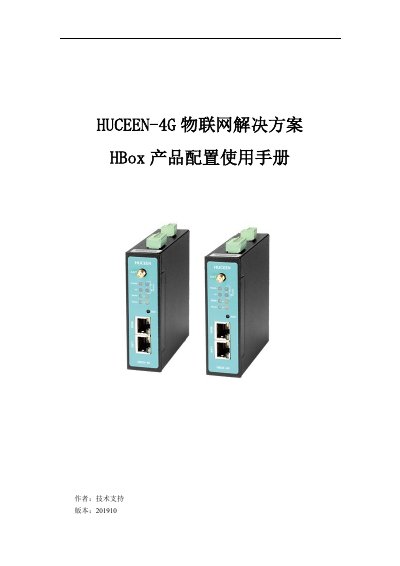
HUCEEN-4G IoT Solution HBox Product Configuration Manual
The HUCEEN HBox is an embedded IoT module designed for industrial automation applications. It features an ARM9 CPU, 4G and Ethernet connectivity, and supports multiple communication protocols including Modbus, Siemens S7, Mitsubishi, and Omron. The device operates on a DC 9V to 36V power supply and is suitable for environments between -20°C and 75°C. This manual is written in Chinese.
Covers: Product Specifications · Communication Protocols · Local Configuration Software · Device Drivers · Online Operation · Configuration Editing
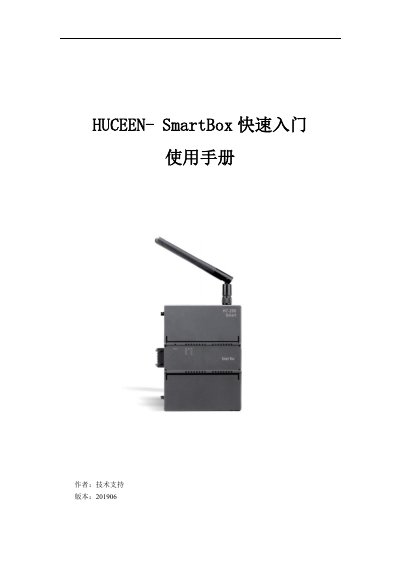
HUCEEN SmartBox Quick Start User Manual
This HUCEEN SmartBox quick start user manual (version 201906) from Shenzhen Huceen Automation Technology introduces the SmartBox, which is expanded directly onto a 200 SMART CPU over the backplane without using the CPU's communication port. It lists the environments to avoid, the DC 9~24V supply requirement, and the wiring rules to follow.
The guide then describes hardware configuration in STEP 7-MicroWIN SMART, where the SmartBox must be configured as an EM DP01 module that occupies a valid slot, and the settings in the HConfig PC software: logging in, adding a collector (model S210-EG, 4G upload mode), setting serial parameters (115200 baud, no parity, 8 data bits, 1 stop bit), adding a CPU and variables, and downloading the configuration to the SmartBox at its default IP address 192.168.10.100. Remote programming of a SMART CPU and cloud platform configuration are covered briefly, with details referred to the cloud platform online help document. This manual is written in Chinese.
Covers: 注意事项与环境要求 · 配线 · SmartBox 在 STEP 7-MicroWIN SMART 中的组态 · SmartBox 在 HConfig 中的设置 · 设置串口参数 · 添加 CPU 模块与变量
Latest HUCEEN manuals
HUCEEN-4G IoT Solution HBox Product Configuration Manual
User Manual 74 pages · 7.2 MB · ZHThis manual provides configuration and usage instructions for the HUCEEN HBox IoT solution, covering hardware specs, communication protocols, and software…
HUCEEN SmartBox Quick Start User Manual
Quick Start Guide 13 pages · 1.3 MB · ZHQuick start guide for the HUCEEN SmartBox, covering wiring, STEP 7-MicroWIN SMART configuration, HConfig settings and remote programming.
Which document do I need?
User Manual
Day-to-day operation, settings and troubleshooting. Start here if the product is already set up.
Quick Start Guide
The shortest path to a working setup, usually only a few pages.
Questions answered in HUCEEN manuals
What is the default IP address for the HBox LAN port?
The default IP address for the LAN port is 192.168.10.100.
From: HUCEEN-4G IoT Solution HBox Product Configuration Manual
How long does the HBox system take to restart after downloading a configuration?
The system takes approximately 20 seconds to restart after a download.
From: HUCEEN-4G IoT Solution HBox Product Configuration Manual
What supply voltage does the SmartBox require?
It is powered by DC 9~24V; the voltage must not be exceeded and the polarity must not be reversed.
What is the SmartBox default IP address?
The default IP address is 192.168.10.100, and the PC IP address must be kept in the same subnet.