
SmartBox Quick Start User Manual, introduces basic knowledge of product usage, including environmental requirements, hardware configuration and configuration, cloud platform configuration, etc.
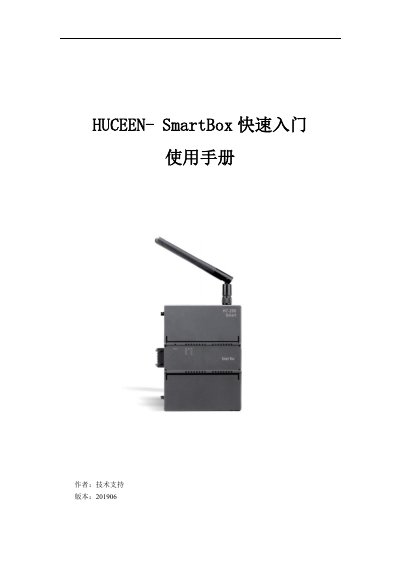
This HUCEEN SmartBox quick start user manual (version 201906) from Shenzhen Huceen Automation Technology introduces the SmartBox, which is expanded directly onto a 200 SMART CPU over the backplane without using the CPU's communication port. It lists the environments to avoid, the DC 9~24V supply requirement, and the wiring rules to follow.
The guide then describes hardware configuration in STEP 7-MicroWIN SMART, where the SmartBox must be configured as an EM DP01 module that occupies a valid slot, and the settings in the HConfig PC software: logging in, adding a collector (model S210-EG, 4G upload mode), setting serial parameters (115200 baud, no parity, 8 data bits, 1 stop bit), adding a CPU and variables, and downloading the configuration to the SmartBox at its default IP address 192.168.10.100. Remote programming of a SMART CPU and cloud platform configuration are covered briefly, with details referred to the cloud platform online help document. This manual is written in Chinese.
| Supply voltage | DC 9~24V |
|---|---|
| Default IP address | 192.168.10.100 |
| Collector model | S210-EG |
| Upload mode | 4G |
| Serial baud rate | 115200 |
| Serial parity | None |
| Serial stop bits | 1 (default) |
| Device brand / model in serial settings | 汇辰 H7-Smart, master ID 0 (default) |
| Remote programming interface type | LAN |
It is powered by DC 9~24V; the voltage must not be exceeded and the polarity must not be reversed.
The default IP address is 192.168.10.100, and the PC IP address must be kept in the same subnet.
The SmartBox can only be configured by selecting “EM DP01”, and it occupies a valid module slot after other I/O or modules.
No. The remote programming function does not support the CPU search function; only a specified IP address can be added.