
Key facts
- Manuals
- 3
- Languages
- EN
- Last added
- 2023-10-20
Featured Voltech Instruments manuals
Voltech Instruments PM6000 IEC61000-3 Harmonics & Flicker Software User Manual
This manual provides instructions for installing and using the IEC61000-3 Harmonics and Flicker Software for the Voltech PM6000 power analyzer. It covers setup, test configurations, and result interpretation for compliance with IEC standards. The software is designed to work exclusively with the PM6000 and requires an RS232 connection to a PC.
The software supports multiple IEC standards including IEC61000-3-2 and IEC61000-3-3, with updates for inter-harmonic measurements and flicker testing. It controls connected test equipment, collects data, and displays results with pass/fail comparisons against limits.
Covers: Introduction · What is IEC61000-3? · Installation · Getting Started · On-Line Help · Reference Information
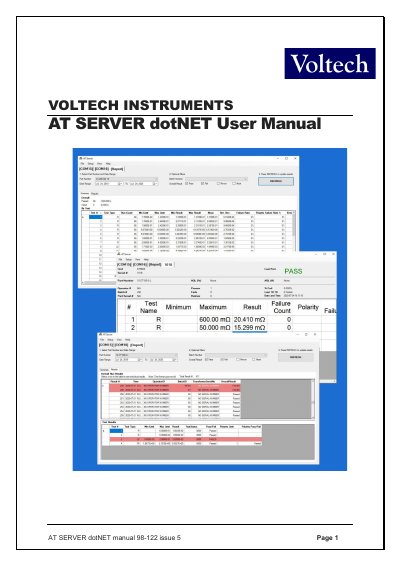
Voltech Instruments AT SERVER dotNET 98-122 User Manual
This manual provides instructions for the AT SERVER dotNET software (model 98-122), a centralized data storage system for the AT Series Transformer Testers. It details the installation process, computer requirements, and initial configuration steps for Windows 7, 8, and 10 operating systems.
The guide covers key features including database connectivity to external MS SQL or MS ACCESS databases, enhanced results display with customizable columns, and the built-in LocalDB database for local data storage and reporting. It also explains how to manage test programs, receive test results, and export data to formats such as CSV, TSV, or Excel.
Covers: Introduction · Database Connectivity · Results · Interface · Built-In LocalDB and Reports · Installing the Server Software
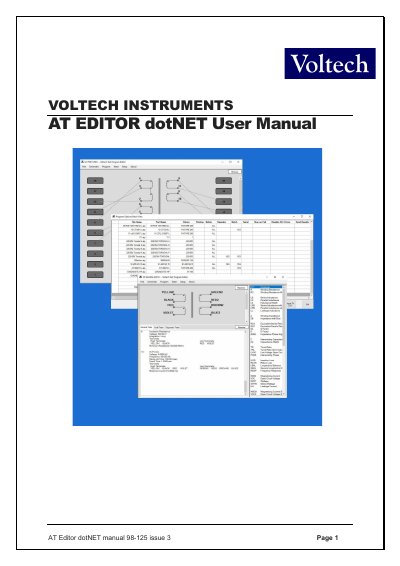
Voltech Instruments AT Editor dotNET User Manual
This manual provides instructions for the AT Editor dotNET software, a complete rewrite of the legacy AT Editor program designed for Voltech Instruments AT series testers (AT3600, ATi, and AT5600). It details the installation process, computer requirements, and how to create schematics for transformer windings and core connections.
Covers: Introduction · Installing the Editor Software · Creating the Schematic · Creating the Program · Programming Specific Tests · Firmware Upgrades
Latest Voltech Instruments manuals
Voltech Instruments PM6000 IEC61000-3 Harmonics & Flicker Software User Manual
User Manual 108 pages · 2.3 MB · ENUser manual for Voltech Instruments' IEC61000-3 harmonics and flicker software for the PM6000 power analyzer.
Voltech Instruments AT SERVER dotNET 98-122 User Manual
User Manual 40 pages · 1.4 MB · ENUser manual for the Voltech Instruments AT SERVER dotNET 98-122 software, covering installation, configuration, database connectivity, and reporting features.
Voltech Instruments AT Editor dotNET User Manual
User Manual 166 pages · 2.7 MB · ENUser manual for Voltech Instruments AT Editor dotNET software, covering installation, schematic creation, test programming, and firmware upgrades for AT…
Which document do I need?
User Manual
Day-to-day operation, settings and troubleshooting. Start here if the product is already set up.
Questions answered in Voltech Instruments manuals
What power analyzer is this software compatible with?
This software is designed to work with Voltech’s PM6000 power analyzer. It will not function with any other model of power analyzer.
From: Voltech Instruments PM6000 IEC61000-3 Harmonics & Flicker Software User Manual
What is the software version?
The software version is 1.15.07, released in May 2010.
From: Voltech Instruments PM6000 IEC61000-3 Harmonics & Flicker Software User Manual
What are the computer requirements for installing the AT Server software?
The PC must run Windows 7, 8, or 10 (32 or 64 Bit).
From: Voltech Instruments AT SERVER dotNET 98-122 User Manual
Is connection to an external MS SQL or MS ACCESS database included?
Yes, connection to external MS SQL or MS ACCESS databases is now a free feature for all users.
From: Voltech Instruments AT SERVER dotNET 98-122 User Manual
Which AT tester models are supported by this software?
The software supports the AT3600, ATi, and AT5600 testers.
Can I save test results and the program as a single PDF file?
Yes, the dotNET Editor allows you to save the last test results and program as one combined PDF.