
Key facts
- Manuals
- 5
- Languages
- EN
- Last added
- 2026-11-02
Featured Panamax manuals
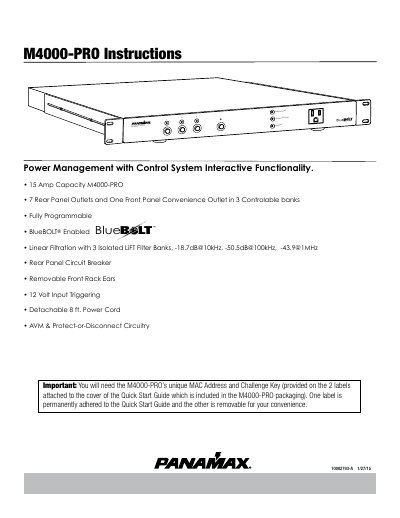
Panamax M4000-PRO Power Management System User Manual
This manual provides instructions for the Panamax M4000-PRO Power Management with Control System, featuring Automatic Voltage Monitoring (AVM), Linear Filtering Technology (LiFT), and BlueBOLT remote control. The device offers 7 rear panel outlets and one front panel convenience outlet organized into three controllable banks.
Covers: Important Safety Instructions · Front Panel Features Overview · Rear Panel Features Overview · BlueBOLT Setup and Registration · Outlet Sequencing · Advanced Operation
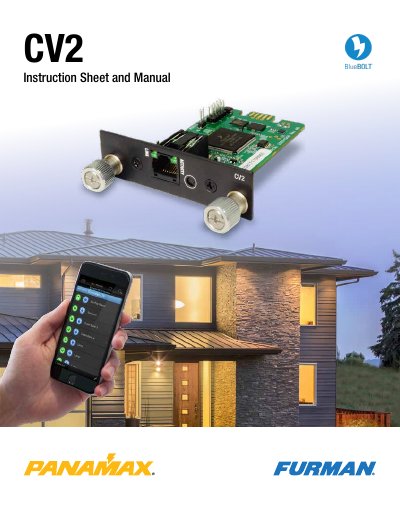
Panamax BlueBOLT-CV2 Interface Card User Manual
This manual guides users through installing and registering the Panamax BlueBOLT-CV2 interface card, which enables cloud-based remote power management. It includes steps for physical installation, online registration using MAC address and challenge key, and local web-based configuration. The card supports XML-based commands for controlling connected devices like M4315-PRO and M4320-PRO units via Telnet or direct commands.
The manual also details device status queries, outlet control, and password protection setup via the embedded web interface. It provides technical specifications for communication protocols, including port 57010 and XML message structures, and troubleshooting steps for connection issues.
Covers: Introduction · Installation · Online Registration · Discovering IP Address · Telnet Command Set · Device Info Queries
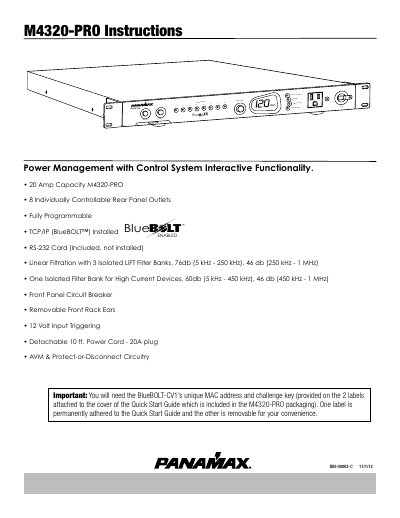
Panamax M4320-PRO Power Management with Control System User Manual
The Panamax M4320-PRO is a power management unit featuring 20 amp capacity, 8 individually controllable rear panel outlets, and fully programmable functionality. It includes BlueBOLT™ for remote IP control and RS-232 communication capabilities. The unit utilizes Linear Filtration Technology (LiFT) with isolated filter banks to protect audio/video equipment from EMI/RFI noise and provides Automatic Over & Under Voltage Protection (AVM) to disconnect equipment during unsafe voltage conditions.
Covers: Important Safety Instructions · Front Panel Features Overview · Preset Profile Information · Rear Panel Features Overview · BlueBOLT Setup and Registration · RS-232 Installation and Command Set
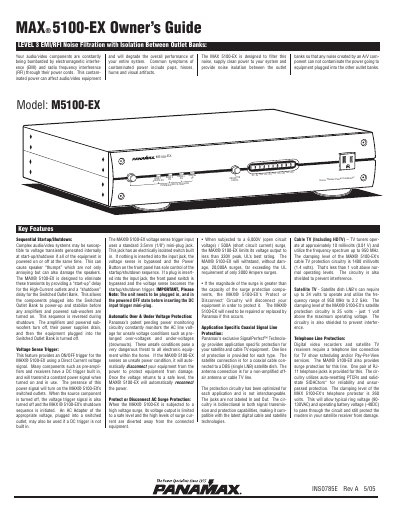
Panamax M5100-EX Home Theater Power Conditioner Owner's Guide
The Panamax M5100-EX is a home theater power conditioner designed to filter electromagnetic and radio frequency interference, provide clean power, and isolate outlet banks to prevent noise transfer. It includes sequential startup/shutdown for audio/video equipment to avoid voltage transients and speaker damage. The unit also features a voltage sense trigger input for DC control, automatic over/under voltage protection, and surge protection for coaxial, telephone, and Ethernet lines. The front panel includes power controls, LEDs, and a voltmeter for monitoring line voltage.
The back panel offers three outlet banks: always-on, switched, and high-current outlets, each with specific filtering and isolation. It also includes coaxial, telephone, and Ethernet jacks with application-specific surge protection. The unit is designed for home theater systems and includes safety features like a 15A circuit breaker and grounding lug for proper installation.
Covers: EMI/RFI Noise Filtration · Sequential Startup/Shutdown · Voltage Sense Trigger · Surge Protection · Outlet Banks · Coaxial Signal Protection
Latest Panamax manuals
Panamax M4000-PRO Power Management System User Manual
User Manual 16 pages · 786 KB · ENUser manual for the Panamax M4000-PRO Power Management System covering setup, operation, troubleshooting, and safety instructions.
Panamax BlueBOLT-CV2 Interface Card User Manual
User Manual 24 pages · 1.2 MB · ENUser manual for the Panamax BlueBOLT-CV2 interface card, covering setup, registration, and XML-based control commands for compatible power management devices.
Panamax M4320-PRO Power Management with Control System User Manual
User Manual 14 pages · 1.4 MB · ENThis manual provides instructions for the Panamax M4320-PRO Power Management unit, covering features, setup, and operation of its control system.
Panamax M5100-EX Home Theater Power Conditioner Owner's Guide
User Manual 12 pages · 338 KB · ENOwner's guide for Panamax M5100-EX power conditioner, covering EMI/RFI filtering, sequential startup/shutdown, voltage sensing, and surge protection features.
Panamax MAX 4300-EX Home Theater Power Conditioner Owner's Guide
User Manual 12 pages · 345 KB · ENThis guide provides operating instructions and specifications for the Panamax MAX 4300-EX Home Theater Power Conditioner, covering power protection, noise…
Which document do I need?
User Manual
Day-to-day operation, settings and troubleshooting. Start here if the product is already set up.
Questions answered in Panamax manuals
How do I toggle an outlet bank on or off?
Press the button for less than 5 seconds to toggle the corresponding Outlet Bank's ON/OFF state.
What does the Unsafe Voltage Indicator mean?
It flashes red if the line voltage is less than 95 Vac or greater than 134 Vac.
How do I register my BlueBOLT-CV2 card online?
Go to www.mybluebolt.com, enter the card’s unique MAC address and challenge key (found on the packaging or card label), and follow on-screen instructions.
What lights should be on after installing the BlueBOLT-CV2 card?
The 'Link' light should be solid green, and the 'Activity' light should blink intermittently (green).
What is the capacity of the M4320-PRO?
The M4320-PRO has a 20 Amp capacity.
From: Panamax M4320-PRO Power Management with Control System User Manual
How many outlets does the M4320-PRO have?
It features 8 individually controllable rear panel outlets.
From: Panamax M4320-PRO Power Management with Control System User Manual