
Key facts
- Manuals
- 4
- Languages
- EN
- Last added
- 2026-11-01
Featured Marshall Electronics manuals
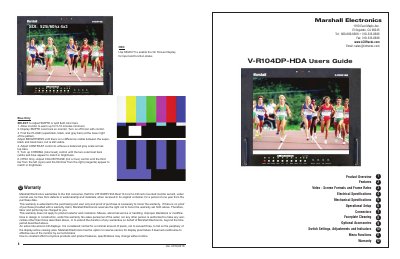
Marshall Electronics V-R104DP-HDA Dual 10.4-inch LCD Monitor User Guide
This user guide covers the setup, operation, and adjustment of the Marshall Electronics V-R104DP-HDA dual 10.4-inch LCD monitor. It includes instructions for mounting, connecting inputs and outputs, adjusting brightness, contrast, color, and display formats. The guide also details menu functions, tally indicators, and warranty information. The monitor supports multiple video formats including NTSC, PAL, VGA, and DVI, with features like Pixel-to-Pixel display and motion interpolation.
Covers: Product Overview · Features · Electrical Specifications · Mechanical Specifications · Operational Setup · Connectors
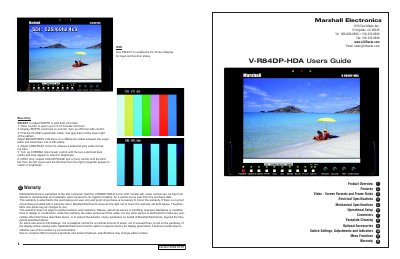
Marshall Electronics V-R84DP-HDA User's Guide
This user's guide covers setup, connectors, menu functions, and warranty for the V-R84DP-HDA 8.4-inch LCD monitor. It includes operational setup, switch settings, adjustments, indicators, and menu navigation. The monitor supports multiple video formats and features Pixel-to-Pixel™ native resolution display, color temperature presets, and adjustable brightness and contrast. Warranty details and service conditions are also provided.
Covers: Product Overview · Features · Electrical Specifications · Mechanical Specifications · Operational Setup · Connectors
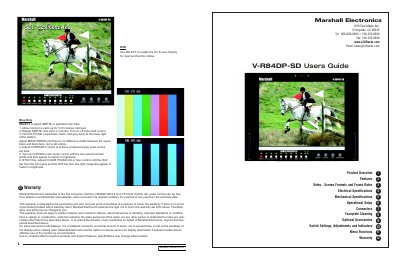
Marshall Electronics V-R84DP-SD 8.4-inch TFT/LCD Monitor User's Guide
The Marshall Electronics V-R84DP-SD is an 8.4-inch TFT/LCD monitor featuring a completely digital TFT-Megapixel system with 1.44 million pixels. It supports multiple video formats including SDI, Component, Composite, S-Video, and VGA/DVI inputs, with automatic format detection for NTSC and PAL signals. The monitor includes features such as ColorMatch Conversion, HyperProcess motion interpolation, and an On Screen Display (OSD) for menu navigation.
Covers: Product Overview · Features · Electrical Specifications · Operational Setup · Connectors · Menu Functions
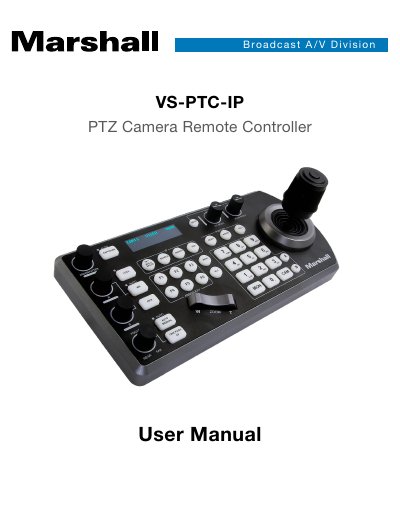
Marshall Electronics VS-PTC-IP PTZ Camera Remote Controller User Manual
The Marshall VS-PTC-IP is a compact remote controller designed for the effortless one-handed pan, tilt, and zoom adjustments of multiple remote cameras. It features a high-quality joystick and supplementary seesaw lever for zoom control, along with dedicated knobs and buttons for frequently needed functions like exposure, shutter speed, and white balance. The device supports cross-protocol mix-control, allowing the simultaneous management of RS232, RS422, and IP cameras using VISCA, PELCO D/P, ONVIF, and VISCA over IP protocols.
The manual details the initial setup process, including power connection and IP configuration via LAN scanning or manual entry. It provides instructions on how to manually add cameras, assign keys, and configure GPI I/O. Users can control up to 255 cameras (combining mixed protocols) and manage up to 256 presets with memory of image parameters. The guide also covers firmware upgrades via USB and physical dimensions.
Covers: System Overview · Connection · Initial Setup · Keyboard Configuration · Password Setting · Interacting with Cameras
Latest Marshall Electronics manuals
Marshall Electronics V-R104DP-HDA Dual 10.4-inch LCD Monitor User Guide
User Manual 4 pages · 4 MB · ENUser guide for Marshall Electronics' dual 10.4-inch rack-mounted LCD monitor with setup, connectors, and adjustment instructions.
Marshall Electronics V-R84DP-HDA User's Guide
User Manual 4 pages · 1.1 MB · ENUser guide for Marshall Electronics' 8.4-inch LCD monitor with setup, connectors, menu functions, and warranty info.
Marshall Electronics V-R84DP-SD 8.4-inch TFT/LCD Monitor User's Guide
User Manual 4 pages · 975 KB · ENThis user guide covers the setup, operation, and specifications of the Marshall Electronics V-R84DP-SD 8.4-inch TFT/LCD monitor.
Marshall Electronics VS-PTC-IP PTZ Camera Remote Controller User Manual
User Manual 40 pages · 5.3 MB · ENThis user manual covers the setup, configuration, and operation of the Marshall VS-PTC-IP PTZ Camera Remote Controller, including IP, RS232, RS422, and…
Which document do I need?
User Manual
Day-to-day operation, settings and troubleshooting. Start here if the product is already set up.
Questions answered in Marshall Electronics manuals
What video formats does the V-R104DP-HDA support?
It supports NTSC, PAL, VGA, and DVI formats with automatic detection of signal types and frame rates.
From: Marshall Electronics V-R104DP-HDA Dual 10.4-inch LCD Monitor User Guide
How do I adjust the color temperature?
The monitor has a D65 (6500K) standard setting and a user-adjustable mode using Adj. Color Gain or Adj. Color Bias.
From: Marshall Electronics V-R104DP-HDA Dual 10.4-inch LCD Monitor User Guide
What is the warranty period for the V-R84DP-HDA?
The warranty is for one year from the purchase date, covering defects in workmanship and materials.
How do I adjust the color temperature?
Use the Color Temperature setting to select D65 (6500K) or User Adjustment mode for manual adjustment.
Can the monitor display both 4:3 and 16:9 aspect ratios?
Yes, the screen aspect ratio is switchable between 4:3 and 16:9.
From: Marshall Electronics V-R84DP-SD 8.4-inch TFT/LCD Monitor User's Guide
What happens if there is no proof of purchase with a warranty claim?
Marshall Electronics reserves the right not to honor the warranty, and labor and parts may be charged.
From: Marshall Electronics V-R84DP-SD 8.4-inch TFT/LCD Monitor User's Guide