
Key facts
- Manuals
- 2
- Languages
- EN
- Last added
- 2023-10-15
Featured Genexis manuals
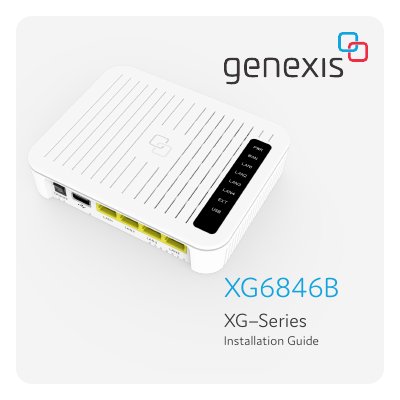
Genexis XG6846B Installation Guide
The document serves as an installation guide for the Genexis XG6846B active device. It details the contents of the box, provides an overview of physical buttons and ports including USB, LAN, WAN/SFP, and power connections, and explains the function of various status LEDs such as Power/System, WAN/EXT, and LAN indicators.
Covers: Button overview · Port overview · LED overview · Box contents · Setting up the XG · Troubleshooting

Genexis ED500 Pure-Series Installation Guide
The Genexis ED500 Pure-Series is a broadband modem that supports DSL and Ethernet WAN interfaces. It features wireless connectivity (2.4 GHz and 5 GHz) and includes various status LEDs to indicate power, link, internet connectivity, voice service, and WiFi activity.
Installation involves connecting the appropriate cables to the DSL or WAN ports, linking personal devices via LAN ports, and powering on the unit. Users can mount the device on a wall using a provided drilling guide or place it on a flat surface. Wireless networks can be set up using WPS or manual configuration.
Covers: LED & button overview · Port overview · Getting started · Placement (Standing and Wall mount) · Operation · Setting up the Pure
Latest Genexis manuals
Genexis XG6846B Installation Guide
Installation Guide 7 pages · 1.1 MB · ENThis guide provides installation instructions, button and port descriptions, LED status indicators, and troubleshooting steps for the Genexis XG6846B active…
Genexis ED500 Pure-Series Installation Guide
Installation Guide 5 pages · 1.3 MB · ENThis guide covers the installation, operation, and troubleshooting of the Genexis ED500 Pure-Series broadband modem.
Which document do I need?
Installation Guide
Mounting, wiring and first power-up. Read it before the hardware goes in.
Questions answered in Genexis manuals
How do you reset the device to factory settings?
Press and release the recessed Reset button for more than 5 seconds.
What does a blinking green Power/System LED indicate?
It indicates that the system is booting in progress.
How do I reset the modem to factory settings?
Press and hold the Reset button with a small pin or paperclip for more than 10 seconds.
How can I turn WiFi on or off?
Press and hold the Mode button for 10 seconds to disable/enable WiFi.